View the differences between various printers


View the differences between various printers
Printers come in various types – from compact models for the home office to advanced devices for larger office environments. The choice depends on how and how much you print, and what functions you need. Some printers focus on speed and efficiency, while others ensure high quality for photos and graphics.
This article provides an overview of different types of printers and their main features, so you can more easily assess which model best suits your office or home office.
The article presents a selection of various printers, reflecting different technologies, functions, and price categories. The goal is to provide a broad view of the market – from simple inkjet printers to multifunctional laser ones. The product information is based on publicly available manufacturer and retailer descriptions and summarised to provide an informative and neutral view of the available options.
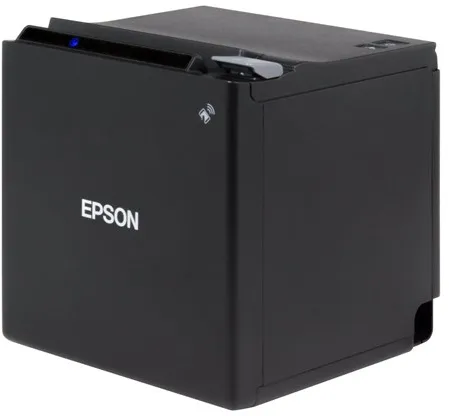
The Epson TM M30II (112A0) is a thermal receipt printer designed for use in POS systems where fast and reliable printing is essential. It uses thermal line technology to deliver clear, monochrome prints with a resolution of 203 x 203 dpi.
The printer can handle rolls up to 7.95 cm wide and prints at speeds of up to 250 mm per second. It is equipped with an automatic cutter that efficiently separates receipts after printing.
With a compact design of 12.7 × 12.7 × 12.7 cm and a weight of 1.3 kg, the model is suitable for environments with limited space, such as cafés, shops and restaurants. It can be discreetly placed on a counter or mounted on a wall with accessories.
The Epson TM M30II offers flexible connectivity options, including USB 2.0, LAN, Bluetooth, NFC and USB host, making it compatible with a wide range of POS systems and mobile devices. In addition, it supports wireless communication and has an integrated print server.
The printer comes with practical accessories such as a power connector cover, cable fixing bracket and spacer. It is designed for long service life, with an expected operating time (MTBF) of 360,000 hours.
- High printing speed: Up to 250 mm/sec for fast receipt printing.
- Compact design: Only 12.7 cm on each side – ideal for small workspaces.
- Flexible connectivity: Supports USB, LAN, Bluetooth, NFC and USB host.
- Automatic cutter: Efficient and precise receipt separation.
- Long service life: MTBF 360,000 hours for reliable operation.
Pros and cons
- Compact and space-saving design
- High printing speed
- Multiple connectivity options, including wireless
- Includes automatic cutter
- Low noise level during operation
- Prints only in monochrome (black/white)
- Requires thermal paper for operation
- Product is no longer manufactured and may be difficult to find new
Pros and cons
Pros
- Compact and space-saving design
- High printing speed
- Multiple connectivity options, including wireless
- Includes automatic cutter
- Low noise level during operation
Cons
- Prints only in monochrome (black/white)
- Requires thermal paper for operation
- Product is no longer manufactured and may be difficult to find new
Pros
- Compact and space-saving design
- High printing speed
- Multiple connectivity options, including wireless
- Includes automatic cutter
- Low noise level during operation
Cons
- Prints only in monochrome (black/white)
- Requires thermal paper for operation
- Product is no longer manufactured and may be difficult to find new
Specifications
- Manufacturer: Epson
- Model: C31CJ27112A0
- EAN: 8715946688534
- Item number: 2926083
- Printer type: Receipt printer - thermal line - monochrome
- Maximum resolution: 203 x 203 dpi
- Printing speed: Up to 250 mm/sec.
- Maximum media size: Roll (7.95 cm)
- Minimum media size: 58 mm
- Maximum user-defined media size: 80 mm
- Media type: Thermal copy paper
- Automatic cutter: Yes
- Interfaces: USB 2.0, LAN, Bluetooth, NFC, USB 2.0 host
- Network: Print server
- Connections: 1 x USB 2.0 Type B, 1 x USB 2.0 host Type A, 1 x LAN RJ-45, 1 x cash drawer
- Dimensions (W x D x H): 12.7 × 12.7 × 12.7 cm
- Weight: 1.3 kg
- Colour: Black
- MTBF: 360,000 hours
- Power supply: External power adapter
- Operating temperature: 5–45 °C
- Humidity during use: 10–90 %
- Noise emission: 55 dBA
- Localisation: United Kingdom
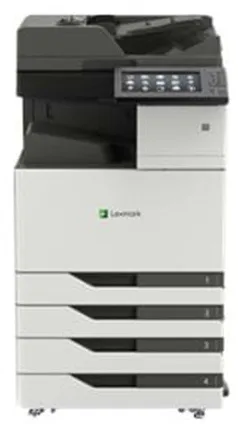
The Lexmark CX923DTE is an advanced multifunction printer that combines printing, copying, scanning and faxing in one device. It uses colour laser technology and ensures a maximum print resolution of up to 1200 x 1200 dpi, guaranteeing sharp and detailed results in both black and white and colour.
The printer is designed for heavy workloads, with a maximum monthly duty cycle of 250,000 pages and a recommended volume of 7,000 to 50,000 pages. It can handle large paper formats such as SRA3 and ARCH B, and supports a wide range of media types including envelopes, labels and banners.
With print and copy speeds of up to 55 pages per minute in both colour and black and white, it is suitable for busy offices where efficiency is crucial. The automatic duplex function allows printing, scanning and copying on both sides of the paper, saving time and paper.
The device features a 10-inch colour touchscreen that provides intuitive control and quick access to functions such as scanning to email, FTP or USB. It has USB 2.0, Gigabit LAN and USB host ports and supports Apple AirPrint for easy integration into various network environments.
With a standard media capacity of 2,150 sheets, expandable up to 5,150 sheets, and a weight of 134.5 kg, the CX923DTE is built for stable operation and long service life. It is ENERGY STAR certified and meets Blue Angel standards, reflecting a focus on energy efficiency and environmental responsibility.
- High print speed: Up to 55 pages per minute in both colour and black and white.
- Large paper capacity: Standard 2,150 sheets, expandable up to 5,150 sheets.
- Advanced media handling: Supports formats up to SRA3 and ARCH B.
- Intuitive control: 10-inch colour touchscreen with easy access to functions.
- Flexible connectivity: USB 2.0, Gigabit LAN and AirPrint support.
- Environmental certifications: ENERGY STAR and Blue Angel approved.
Pros and cons
- High printing and copying speed
- Large media capacity and flexible paper handling
- Touchscreen with convenient control
- Supports large formats and multiple media types
- Energy-efficient and environmentally friendly
- Large and heavy device requiring significant space
- Mainly suitable for larger offices with high printing needs
- May have long delivery times when ordered
Pros and cons
Pros
- High printing and copying speed
- Large media capacity and flexible paper handling
- Touchscreen with convenient control
- Supports large formats and multiple media types
- Energy-efficient and environmentally friendly
Cons
- Large and heavy device requiring significant space
- Mainly suitable for larger offices with high printing needs
- May have long delivery times when ordered
Pros
- High printing and copying speed
- Large media capacity and flexible paper handling
- Touchscreen with convenient control
- Supports large formats and multiple media types
- Energy-efficient and environmentally friendly
Cons
- Large and heavy device requiring significant space
- Mainly suitable for larger offices with high printing needs
- May have long delivery times when ordered
Specifications
- Manufacturer: Lexmark
- Model: CX923DTE
- Model number: 32C0238
- EAN: 0734646647694
- Device type: Multifunction printer (printing, copying, scanning, fax)
- Printing technology: Colour laser
- Maximum print resolution: 1200 x 1200 dpi
- Maximum print speed: 55 ppm (black and white and colour)
- Maximum copy speed: 55 ppm (black and white and colour)
- Optical scan resolution: 600 x 600 dpi
- Fax speed: 33.6 Kbps (Super G3)
- Display: 10" colour touchscreen
- Standard memory: 2 GB (expandable up to 4 GB)
- Monthly duty cycle (max): 250,000 pages
- Recommended monthly volume: 7,000 – 50,000 pages
- Standard media capacity: 2,150 sheets
- Maximum media capacity: 5,150 sheets
- Bypass feeder: 150 sheets
- Output tray capacity: 250 sheets
- Supported media sizes: A3, A4, A5, SRA3, ARCH B, Legal, Letter, etc.
- Supported media types: Plain paper, envelopes, labels, cardstock, banner
- Automatic duplex printing: Yes (printing, copying, scanning)
- Interface: USB 2.0, Gigabit LAN, USB host port
- AirPrint support: Yes
- Power consumption (operating): 1075 W
- Power consumption (standby): 0.2 W
- Power consumption (sleep): 2.9 W
- Dimensions (W x D x H): 61.5 × 69.7 × 122.5 cm
- Weight: 134.5 kg
- Environmental certifications: ENERGY STAR, Blue Angel
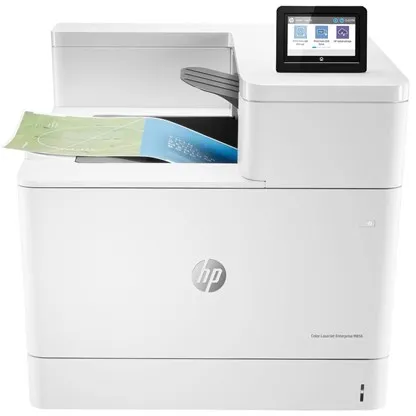
The HP Color LaserJet Enterprise M856dn is a colour laser printer designed for workgroups of 5 to 20 users. It delivers high-quality prints at up to 1200 x 1200 dpi resolution and supports both A3 and A4 formats.
The printer prints up to 56 pages per minute in both black and white and colour, and has an automatic duplex printing function that allows printing on both sides of the paper without manual intervention.
The total paper capacity is 650 sheets, which can be increased to 4450 sheets, making it suitable for high-volume printing environments. The recommended monthly print volume is 50,000 pages, and the maximum duty cycle reaches 250,000 pages.
The printer runs on a 1.2 GHz processor and has 1.5 GB of RAM (expandable to 2 GB). It supports multiple languages and printing protocols, including PCL 5, PCL 6, PostScript 3 and PDF 1.4, ensuring broad compatibility with various systems.
Connectivity options include USB 2.0, Gigabit LAN and USB host ports, and the printer supports AirPrint, allowing direct use from mobile devices. The 4.3-inch colour touchscreen provides easy access to functions and settings.
HP security features, including IPsec, SSL, Kerberos and 802.1x support, protect the printer from unauthorised access. The device is also certified according to EPEAT Silver, Blue Angel and ENERGY STAR standards, reflecting attention to energy efficiency and environmental protection.
- High printing speed: Up to 56 pages per minute in both colour and black and white.
- A3 support: Ability to print large format up to 320 x 457.2 mm.
- Automatic duplex printing: Efficient double-sided printing as standard.
- Advanced security: Supports IPsec, SSL, Kerberos and 802.1x.
- Large paper capacity: Standard 650 sheets, expandable to 4450 sheets.
- Energy efficiency: Certified according to EPEAT Silver, Blue Angel and ENERGY STAR.
Pros and cons
- Fast printing in both colour and black and white
- Supports A3 format and automatic duplex printing
- Robust design for high print volumes
- Advanced network and security features
- Energy-saving and environmentally certified
- Large and heavy device requiring a lot of space
- Primarily intended for business users rather than home offices
- High purchase price compared to smaller printers
Pros and cons
Pros
- Fast printing in both colour and black and white
- Supports A3 format and automatic duplex printing
- Robust design for high print volumes
- Advanced network and security features
- Energy-saving and environmentally certified
Cons
- Large and heavy device requiring a lot of space
- Primarily intended for business users rather than home offices
- High purchase price compared to smaller printers
Pros
- Fast printing in both colour and black and white
- Supports A3 format and automatic duplex printing
- Robust design for high print volumes
- Advanced network and security features
- Energy-saving and environmentally certified
Cons
- Large and heavy device requiring a lot of space
- Primarily intended for business users rather than home offices
- High purchase price compared to smaller printers
Specifications
- Manufacturer: HP
- Model: T3U51A#B19
- EAN: 0193015438279
- Printer type: Workgroup printer - laser - colour
- Number of users: 5–20
- Maximum resolution: 1200 x 1200 dpi
- Print speed: Up to 56 ppm (mono/colour)
- Processor: 1.2 GHz
- RAM: 1.5 GB (expandable to 2 GB) DDR3 SDRAM
- Paper capacity: 650 sheets (max. 4450 sheets)
- Media size: A3/Ledger (320 x 457.2 mm)
- Automatic duplex printing: Yes
- Interfaces: USB 2.0, Gigabit LAN, USB 2.0 host
- AirPrint: Yes
- Display: 4.3" colour touchscreen
- Monthly duty cycle (max.): 250,000 pages
- Recommended monthly volume: 50,000 pages
- Dimensions (W x D x H): 55.6 x 61 x 52 cm
- Weight: 52.3 kg
- Power consumption (operating): 870 W
- Power consumption (standby): 77 W
- Power consumption (sleep): 0.7 W
- Environmental certifications: EPEAT Silver, Blue Angel, ENERGY STAR
Zebra Printer Profile Manager Enterprise is a licensed software solution that allows centralised management of up to 50 Zebra printers. The program is designed for the Windows platform and is intended for organisations seeking to manage their printer fleet more efficiently.
Using a browser-based interface, the user can configure, update, and monitor printers regardless of their location – on-site, in different buildings, or across various geographic regions. This reduces the need for physical access to printers and shortens maintenance time.
The solution helps increase operational reliability and protect sensitive data by facilitating the deployment and maintenance of security configurations for all printers. It is particularly suitable for large companies where printer management can be a time- and resource-intensive process.
- Centralised management: Allows management of up to 50 printers from one location.
- Browser-based access: Provides flexible management regardless of geographic location.
- Efficient maintenance: Reduces the need for physical access to printers.
- Enhanced security: Supports rapid deployment of security configurations.
- Platform: Compatible with Windows.
Pros and cons
- Combines printer management into one centralised solution
- Reduces operational and time costs
- Browser-based access provides flexibility
- Supports secure and consistent printer configuration
- Licence covers only up to 50 printers – larger organisations may require more licences
- Requires Windows platform for installation and operation
Pros and cons
Pros
- Combines printer management into one centralised solution
- Reduces operational and time costs
- Browser-based access provides flexibility
- Supports secure and consistent printer configuration
Cons
- Licence covers only up to 50 printers – larger organisations may require more licences
- Requires Windows platform for installation and operation
Pros
- Combines printer management into one centralised solution
- Reduces operational and time costs
- Browser-based access provides flexibility
- Supports secure and consistent printer configuration
Cons
- Licence covers only up to 50 printers – larger organisations may require more licences
- Requires Windows platform for installation and operation
Specifications
- Manufacturer: Zebra
- Model: P1094902
- Product type: Licence
- Category: Utilities – print jobs and printer management
- Number of licences: 1 – 50 printers
- Platform: Windows
- SKU/Item number: 3084672
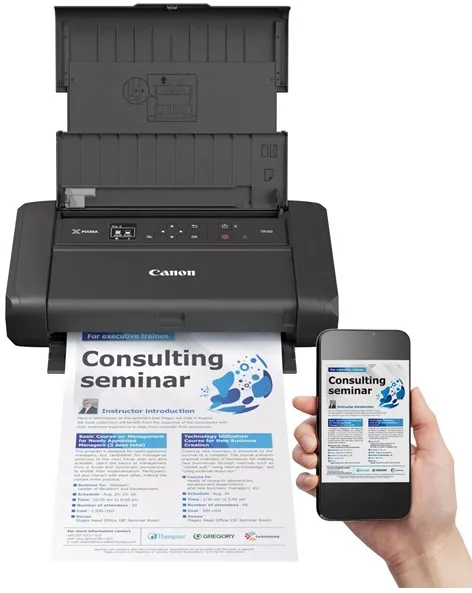
The Canon PIXMA TR150 with battery is a portable colour inkjet printer designed for flexible printing wherever you are. Its compact design and included lithium-ion battery make it suitable for use on the go while ensuring high-quality results.
The printer uses Canon FINE ink technology and supports a five-colour ink system that combines pigment black with cyan, magenta, yellow and black to achieve sharp text and vibrant images. The maximum resolution of 4800 x 1200 dpi ensures detailed prints for both documents and photos.
With wireless connectivity via Wi-Fi and support for AirPrint, Google Assistant and IFTTT, the printer can be easily integrated into a modern mobile workspace. It can also be connected directly via USB-C, and the PictBridge function allows printing directly from compatible cameras.
The paper tray holds up to 50 sheets, and the printer supports a wide range of media types and sizes, including plain paper, photo paper, envelopes and special media such as magnetic photo paper. Borderless printing is also possible up to A4 format.
Weighing only 2.1 kg and measuring 32.2 × 18.5 × 6.6 cm, the PIXMA TR150 is easy to transport. It is equipped with a 1.44-inch OLED display that provides clear information about status and settings during use.
- Portable design: Compact design with integrated battery for printing on the go.
- High print quality: Resolution up to 4800 x 1200 dpi with Canon FINE ink technology.
- Wireless connectivity: Supports Wi-Fi, AirPrint and Google Assistant.
- Flexible media handling: Borderless printing and support for multiple paper types.
- Convenient operation: 1.44-inch OLED display provides easy access to functions and status.
Pros and cons
- Compact and lightweight design with battery operation
- High print quality for both text and images
- Wireless connectivity via Wi-Fi and AirPrint
- Supports a wide range of media types and sizes
- Easy operation via OLED display
- Limited 50-sheet paper tray
- Print speed is moderate compared to stationary printers
Pros and cons
Pros
- Compact and lightweight design with battery operation
- High print quality for both text and images
- Wireless connectivity via Wi-Fi and AirPrint
- Supports a wide range of media types and sizes
- Easy operation via OLED display
Cons
- Limited 50-sheet paper tray
- Print speed is moderate compared to stationary printers
Pros
- Compact and lightweight design with battery operation
- High print quality for both text and images
- Wireless connectivity via Wi-Fi and AirPrint
- Supports a wide range of media types and sizes
- Easy operation via OLED display
Cons
- Limited 50-sheet paper tray
- Print speed is moderate compared to stationary printers
Specifications
- Manufacturer: Canon
- Model: 4167C026
- EAN: 4549292161823
- Printer type: Photo printer - inkjet printer - colour
- Ink technology: Canon FINE (Full-lithography Inkjet Nozzle Engineering)
- Ink type: Canon ChromaLife100
- Colours: 5 (cyan, magenta, yellow, black, pigment black)
- Maximum resolution: 4800 x 1200 dpi
- Print speed: Up to 9 ipm (black and white), up to 5.5 ipm (colour)
- Connections: USB 2.0 (USB-C), Wi-Fi(n)
- Wireless features: AirPrint, Google Assistant, IFTTT, PictBridge
- Paper capacity: 50 sheets
- Supported media sizes: A4, A5, B5, Letter, Legal, 127x127 mm, 89x89 mm, 55x91 mm, 101.6x152.4 mm, 127x177.8 mm, 177.8x254 mm, 203.2x254 mm, 215.9x676 mm
- Borderless printing: Yes
- Display: 1.44" monochrome OLED
- Battery type: Lithium-ion, 2170 mAh (including 1 pc.)
- Power consumption: 8 W (in operation), 1.7 W (in standby mode)
- Dimensions (W x D x H): 32.2 × 18.5 × 6.6 cm
- Weight: 2.1 kg
- Noise level: 40.5 dBA
- Operating temperature: 5–35 °C
- Humidity (during use): 10–90% (non-condensing)
- Compatible operating systems: Windows 7 SP1 and later, macOS 10.11.6–10.15, iOS, Android, Windows 10 Mobile
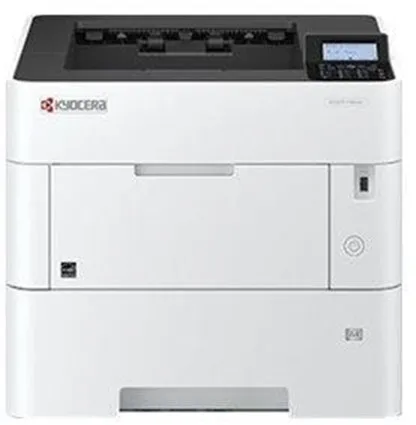
The Kyocera ECOSYS P3155DN is a monochrome laser printer designed for workgroups that require fast and stable printing. It prints up to 55 pages per minute in A4 format and supports automatic duplex printing, making it easy to save paper and reduce costs.
The printer is equipped with an ARM Cortex-A9 processor running at 1.2 GHz and 512 MB of RAM (expandable up to 2.5 GB), ensuring fast processing of complex print jobs. It supports a wide range of printer protocols and languages, including PCL, PostScript 3, and PDF Direct.
The total paper capacity is 600 sheets, which can be increased to 2600 sheets, making it suitable for offices with high print demands. It handles various media sizes from A6 to Legal and supports paper weights from 60 to 220 g/m².
Connectivity options include USB 2.0, Gigabit LAN, and USB host, and the printer is compatible with Apple AirPrint and Mopria-certified devices. The internal power supply and low energy consumption in standby and sleep modes make it energy-efficient in daily use.
Using Kyocera ECOSYS technology, the printer is designed to reduce operating costs and environmental impact by using long-life components and low energy consumption.
- High print speed: Up to 55 pages per minute in A4 format.
- Automatic duplex printing: Enables standard double-sided printing.
- Flexible media handling: Supports up to 2600 sheets and multiple paper formats.
- Energy-efficient operation: Low power consumption in standby and sleep modes.
- Advanced connectivity: USB 2.0, Gigabit LAN, and AirPrint compatibility.
Pros and cons
- Very high print speed
- Automatic duplex printing function
- Large paper capacity with expansion options
- Low energy consumption and eco-friendly ECOSYS technology
- Supports multiple printer protocols and languages
- Black and white printing only
- No built-in Wi-Fi connectivity as standard
- Relatively heavy design – 16 kg
Pros and cons
Pros
- Very high print speed
- Automatic duplex printing function
- Large paper capacity with expansion options
- Low energy consumption and eco-friendly ECOSYS technology
- Supports multiple printer protocols and languages
Cons
- Black and white printing only
- No built-in Wi-Fi connectivity as standard
- Relatively heavy design – 16 kg
Pros
- Very high print speed
- Automatic duplex printing function
- Large paper capacity with expansion options
- Low energy consumption and eco-friendly ECOSYS technology
- Supports multiple printer protocols and languages
Cons
- Black and white printing only
- No built-in Wi-Fi connectivity as standard
- Relatively heavy design – 16 kg
Specifications
- Manufacturer: Kyocera
- Model: ECOSYS P3155DN
- Model number: 1102TR3NL0
- EAN: 0632983051054
- Printer type: Workgroup printer - laser - monochrome
- Print speed: Up to 55 ppm (A4), 39 ppm duplex, 82 ppm (A5)
- Maximum resolution: 1200 x 1200 dpi
- Processor: ARM Cortex-A9 1.2 GHz
- RAM: 512 MB (up to 2560 MB)
- Paper capacity: 600 sheets (max. 2600 sheets)
- Media handling: 100-sheet multipurpose tray, 500-sheet input tray
- Media sizes: From A6 to Legal (216 x 356 mm)
- Media weight: 60–220 g/m²
- Connections: USB 2.0, 2 x USB host, Gigabit LAN
- AirPrint: Yes
- Language emulation: PCL 5C, PCL 6, PostScript 3, KPDL3, XPS, PDF Direct, etc.
- Power consumption (operation/standby/sleep): 675 W / 11 W / 0.5 W
- Noise level (operation/quiet mode): 55.8 dBA / 51.1 dBA
- Dimensions (W x D x H): 38 × 41 × 32 cm
- Weight: 16 kg
- Compliance standards: TUV GS, ISO 9001, ISO 14001, RoHS, ISO 7779
- ENERGY STAR certified: Yes
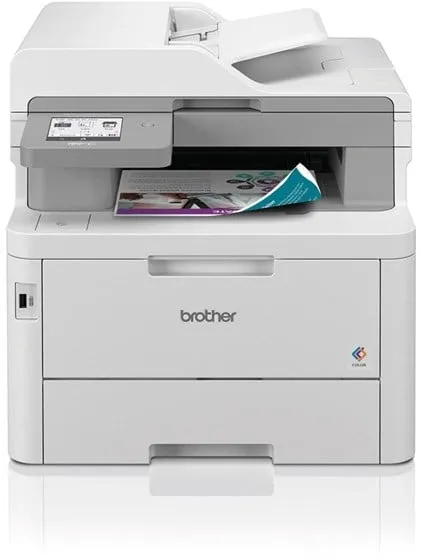
The Brother MFC-L8390CDW is a multifunction colour printer using LED technology to deliver sharp prints at speeds of up to 30 pages per minute – both in black and white and in colour. It is designed for office environments where efficiency and flexibility are important.
The device combines printing, copying, scanning and faxing in one compact design. The automatic document feeder can handle up to 50 sheets, and automatic duplex printing allows printing, copying and scanning on both sides of the paper without manual intervention.
The printer supports a wide range of connections, including USB, Gigabit LAN, Wi‑Fi, NFC and AirPrint, making it easy to integrate into both wired and wireless networks. It can also scan directly to email, network folders, FTP, SharePoint and USB devices.
With a recommended monthly print volume of up to 4000 pages and a standard 280-sheet capacity, this model is suitable for small and medium-sized offices that need a reliable and fast printing solution.
- Fast printing: Up to 30 pages per minute in both black and white and colour.
- Automatic duplex printing: Supports double-sided printing, copying and scanning.
- Flexible connectivity: USB, Gigabit LAN, Wi‑Fi, NFC and AirPrint.
- Multifunctionality: Printing, copying, scanning and faxing in one device.
- Large media capacity: 280-sheet standard, 30-sheet multipurpose tray and 150-sheet output tray.
Pros and cons
- High printing speed in both colour and black and white
- Automatic duplex printing and scanning
- Comprehensive connectivity options including Wi‑Fi and NFC
- Suitable for offices with medium print volumes
- Convenient touchscreen and colour display
- Relatively large and heavy device (about 22 kg)
- 600 x 600 dpi resolution is lower than some competing models
- Not optimal for photo printing due to LED technology characteristics
Pros and cons
Pros
- High printing speed in both colour and black and white
- Automatic duplex printing and scanning
- Comprehensive connectivity options including Wi‑Fi and NFC
- Suitable for offices with medium print volumes
- Convenient touchscreen and colour display
Cons
- Relatively large and heavy device (about 22 kg)
- 600 x 600 dpi resolution is lower than some competing models
- Not optimal for photo printing due to LED technology characteristics
Pros
- High printing speed in both colour and black and white
- Automatic duplex printing and scanning
- Comprehensive connectivity options including Wi‑Fi and NFC
- Suitable for offices with medium print volumes
- Convenient touchscreen and colour display
Cons
- Relatively large and heavy device (about 22 kg)
- 600 x 600 dpi resolution is lower than some competing models
- Not optimal for photo printing due to LED technology characteristics
Specifications
- Manufacturer: Brother
- Model: MFCL8390CDWRE1
- EAN: 4977766824149
- Device type: Multifunction printer (printing, copying, scanning, fax)
- Printing technology: LED (colour)
- Print speed: Up to 30 ppm (mono/colour)
- Print resolution: Up to 600 x 600 dpi
- Copy speed: Up to 30 ppm (mono/colour)
- Copy resolution: Up to 600 x 600 dpi
- Scanning: Optical resolution 1200 x 1200 dpi, interpolated up to 19200 x 19200 dpi
- Document feeder: 50-sheet ADF
- Automatic duplex printing: Yes (printing, copying, scanning)
- Media capacity: 280-sheet standard, 30-sheet multipurpose tray, 150-sheet output
- Supported media sizes: A4, A5, A6, Legal, Letter, B5, C5, DL etc.
- Connections: USB 2.0, USB 2.0 host, Gigabit LAN, Wi‑Fi(n), NFC
- AirPrint: Supported
- Fax: Super G3, 33.6 Kbps, up to 500 pages in memory
- Memory: 512 MB
- Recommended monthly volume: Up to 4000 pages
- Power consumption: 620 W (operating mode), 70 W (standby mode), 10 W (sleep mode)
- Dimensions (W x D x H): 41 × 46.2 × 40.1 cm
- Weight: 21.9 kg
- Environmental labelling: Blue Angel, Nordic Swan Ecolabel
- Noise level: 48 dBA (during operation)
- Operating temperature: 10–32.5 °C
- Humidity during use: 20–80 %
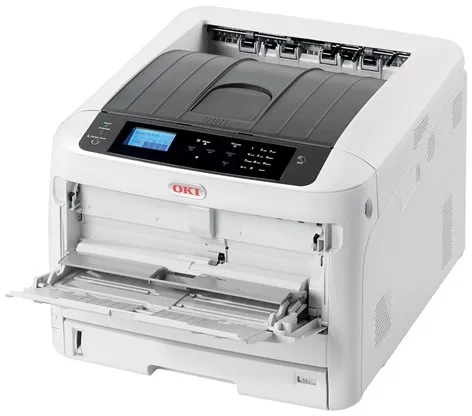
The OKI C824n A3 colour laser printer is a LED-based colour printer designed for workgroups that need reliable and fast printing in both A4 and A3 formats. It delivers a maximum resolution of 1200 x 600 dpi and can print up to 26 pages per minute in both black and white and colour on A4 paper.
The printer features a fast warm-up time and energy-saving fusing technology that reduces both power consumption and waiting time. It supports a wide range of media sizes and types, including envelopes and thicker paper up to 256 g/m².
The C824n has a total paper capacity of 400 sheets, divided into a 300-sheet main tray and a 100-sheet multipurpose tray. The capacity can be increased to 2450 sheets with additional trays.
The printer includes USB 2.0, Gigabit LAN and USB host connections, making it easy to integrate into existing networks. It supports multiple printer protocols and languages, including PCL 5C, PCL 6 and EPSON FX.
With a recommended monthly print volume of 5000 pages and a maximum duty cycle of 75,000 pages, the C824n is suitable for offices with medium to high printing needs. It comes with four toner cartridges (black, cyan, magenta and yellow), each capable of printing up to 2500 pages.
- LED colour technology: Ensures vivid prints with low energy consumption.
- A3 compatibility: Supports large-format printing up to 297 x 420 mm.
- Fast printing: Up to 26 pages per minute in both colour and black and white (A4).
- Flexible media handling: Supports paper weights from 64 to 256 g/m² and multiple media sizes.
- Network ready: Gigabit LAN and USB 2.0 connections for easy office integration.
Pros and cons
- Compact design for an A3 colour printer
- Fast warm-up and energy-efficient operation
- High print speed in both colour and black and white
- Flexible media handling and expandable paper capacity
- Network connectivity via Gigabit LAN
- Automatic duplex printing requires additional equipment
- Relatively heavy 37 kg weight may make relocation difficult
- Discontinued model, which may affect availability
Pros and cons
Pros
- Compact design for an A3 colour printer
- Fast warm-up and energy-efficient operation
- High print speed in both colour and black and white
- Flexible media handling and expandable paper capacity
- Network connectivity via Gigabit LAN
Cons
- Automatic duplex printing requires additional equipment
- Relatively heavy 37 kg weight may make relocation difficult
- Discontinued model, which may affect availability
Pros
- Compact design for an A3 colour printer
- Fast warm-up and energy-efficient operation
- High print speed in both colour and black and white
- Flexible media handling and expandable paper capacity
- Network connectivity via Gigabit LAN
Cons
- Automatic duplex printing requires additional equipment
- Relatively heavy 37 kg weight may make relocation difficult
- Discontinued model, which may affect availability
Specifications
- Manufacturer: OKI
- Model: C824n
- Model number: 47074204
- EAN: 5031713071631
- Printer type: Workgroup printer - LED - colour
- Maximum resolution: 1200 x 600 dpi
- Print speed: Up to 26 ppm (A4), 14 ppm (A3)
- Paper capacity: 400 sheets (standard), up to 2450 sheets (max.)
- Media weight: 64–256 g/m²
- Connections: USB 2.0, Gigabit LAN, USB 2.0 host
- RAM: 1 GB (max.)
- Flash memory: 3 GB
- Monthly duty cycle: 75,000 pages (max.)
- Recommended monthly volume: 5,000 pages
- Dimensions (W x D x H): 44.9 × 55.2 × 36 cm
- Weight: 37 kg
- Power consumption (operating): 680 W
- Power consumption (standby): 13 W
- Power consumption (sleep): 1 W
- Supported operating systems: Windows, macOS, Linux
- ENERGY STAR certified: Yes
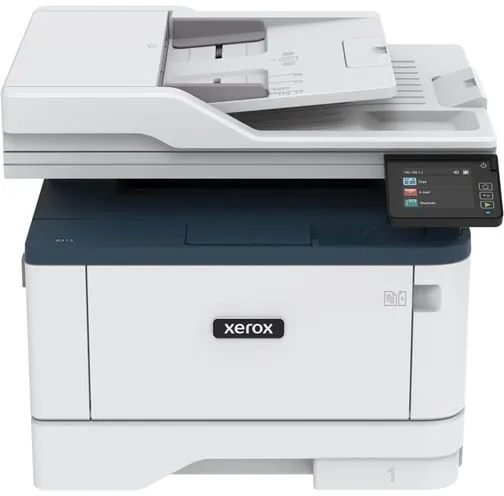
The Xerox B315 (B315V/DNI) is a multifunction printer that combines printing, copying, scanning and faxing in one compact device. It is designed for small and medium-sized offices where efficiency and reliability are key.
The printer prints monochrome laser at speeds of up to 40 pages per minute and resolutions up to 600 x 600 dpi. It supports automatic duplex printing and has a 50-sheet automatic document feeder, making it easy to handle multi-page documents.
With a standard paper capacity of 350 sheets, expandable to 900 sheets, the device can handle larger print jobs without frequent refilling. The maximum monthly duty cycle is 80,000 pages, with a recommended volume of around 6,000 pages.
Connectivity options include USB 2.0, LAN, Wi-Fi with Wi-Fi Direct and AirPrint support, allowing printing directly from mobile devices. The printer is ENERGY STAR and Blue Angel certified and supports Xerox Workflow Central for efficient document management.
Weighing 12.8 kg and measuring 41.1 × 26.6 × 33.9 cm, the Xerox B315 is a compact solution ideal for office environments with limited space.
- Fast printing: Up to 40 pages per minute in monochrome.
- Multifunctional: Combines printing, copying, scanning and faxing in one device.
- Automatic duplex printing: Supports double-sided printing and scanning.
- Wireless connectivity: Wi-Fi, Wi-Fi Direct, LAN, USB and AirPrint.
- Large paper capacity: 350 sheets standard, expandable to 900 sheets.
- Environmental certifications: ENERGY STAR and Blue Angel approved.
Pros and cons
- High print speed up to 40 pages per minute
- Built-in Wi-Fi and AirPrint support
- Automatic duplex printing and scanning
- Robust construction with high monthly capacity
- Compact design suitable for small offices
- Monochrome printing only
- Not suitable for environments with very high print volumes
Pros and cons
Pros
- High print speed up to 40 pages per minute
- Built-in Wi-Fi and AirPrint support
- Automatic duplex printing and scanning
- Robust construction with high monthly capacity
- Compact design suitable for small offices
Cons
- Monochrome printing only
- Not suitable for environments with very high print volumes
Pros
- High print speed up to 40 pages per minute
- Built-in Wi-Fi and AirPrint support
- Automatic duplex printing and scanning
- Robust construction with high monthly capacity
- Compact design suitable for small offices
Cons
- Monochrome printing only
- Not suitable for environments with very high print volumes
Specifications
- Manufacturer: Xerox
- Model: B315V_DNI
- Item number: 3066704
- EAN: 0095205069419
- Device type: Multifunction printer (print, copy, scan, fax)
- Printing technology: Laser - monochrome
- Maximum print speed: Up to 40 pages/min (A4)
- Print resolution: Up to 600 x 600 dpi
- Copy speed: Up to 39 pages/min
- Scanning: CIS, 600 x 600 dpi, duplex
- Fax: Super G3, 33.6 Kbps, 600 x 600 dpi
- Automatic document feeder: 50 sheets
- Paper capacity: 350 sheets (standard), 900 sheets (max.)
- Bypass tray: 100 sheets
- Output tray: 100 sheets
- Connections: USB 2.0, USB host, LAN, Wi-Fi (Wi-Fi Direct), AirPrint
- Monthly duty cycle (max.): 80,000 pages
- Recommended monthly volume: 6,000 pages
- Toner yield: Up to 2,500 pages (black, ISO/IEC 19752)
- Memory: 512 MB
- Power consumption (operating/standby/sleep mode): 580 W / 7.5 W / 1.1 W
- Dimensions (W x D x H): 41.1 × 26.6 × 33.9 cm
- Weight: 12.8 kg
- Environmental standards: ENERGY STAR, Blue Angel
- Noise level: 67.1 dBA (during operation)
- Operating temperature: 10–32.2 °C
- Humidity during use: 8–80% RH
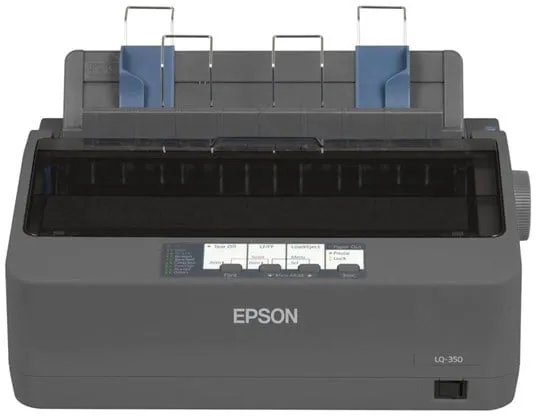
The Epson LQ-350 is a 24-pin monochrome dot matrix printer designed for stable and economical printing in professional environments. It is suitable for tasks requiring carbon copy paper or continuous forms.
The printer has a print speed of up to 347 characters per second in high-speed draft mode and supports parallel, serial, and USB 2.0 interfaces, making it easy to integrate into existing systems.
Using only 1.3 watts in standby mode and 22 watts in operation, this model is ENERGY STAR certified for its energy efficiency. It comes with a black ribbon capable of printing up to 2.5 million characters, contributing to low operating costs.
The compact size and integrated cable management system make the printer suitable for desks and small workspaces where space is limited.
- High print speed: Up to 347 characters per second in high-speed draft mode.
- Low power consumption: Only 1.3 W in standby mode and 22 W in operation.
- Flexible connectivity: Parallel, serial, and USB 2.0 as standard.
- Long ribbon life: Up to 2.5 million characters per ribbon.
- Compact design: Fits easily on a desk and has convenient cable management.
Pros and cons
- Reliable and economical to use
- Low power consumption and ENERGY STAR certification
- Supports multiple connection types
- Long ribbon life and high MTBF
- Suitable for carbon copy paper and forms
- Limited to monochrome printing only
- Dot matrix technology is slower and noisier than modern printers
Pros and cons
Pros
- Reliable and economical to use
- Low power consumption and ENERGY STAR certification
- Supports multiple connection types
- Long ribbon life and high MTBF
- Suitable for carbon copy paper and forms
Cons
- Limited to monochrome printing only
- Dot matrix technology is slower and noisier than modern printers
Pros
- Reliable and economical to use
- Low power consumption and ENERGY STAR certification
- Supports multiple connection types
- Long ribbon life and high MTBF
- Suitable for carbon copy paper and forms
Cons
- Limited to monochrome printing only
- Dot matrix technology is slower and noisier than modern printers
Specifications
- Manufacturer: Epson
- Model: C11CC25001
- EAN: 8715946521886
- Printer type: Personal printer - dot matrix - 24 pins - monochrome
- Print speed: Up to 347 characters/sec (high-speed draft), 260 characters/sec (draft), 86 characters/sec (letter quality)
- Interfaces: Parallel, USB 2.0, serial
- RAM: 128 KB built-in
- Language emulation: EPSON ESC/P 2, IBM 2390 Plus
- Media types: Envelopes, labels, plain paper, continuous sheets
- Max. multi-part forms: 4
- Connections: 1 x parallel, 1 x serial, 1 x USB 2.0 (Type B)
- Consumables: 1 x black ribbon – up to 2.5 million characters
- MTBF: 10,000 hours
- Power supply: Internal
- Power consumption (operating): 22 W
- Power consumption (standby): 1.3 W
- Software: Drivers and utilities, EPSON Status Monitor
- Supported operating systems: Windows 2000, XP, Vista, 7, 8
- ENERGY STAR certified: Yes
- Operating temperature: 5–35 °C
- Humidity (operating): 10–80 %
- Noise level (operating): 53 dBA
- Dimensions (W x D x H): 34.8 × 27.5 × 15.4 cm
- Weight: 4.1 kg
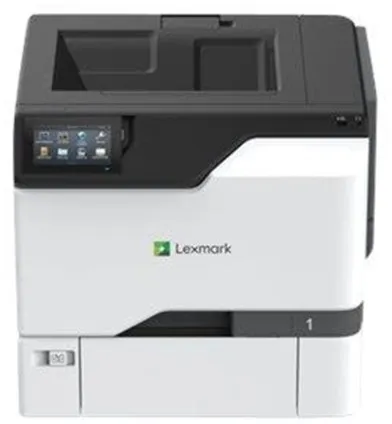
The Lexmark CS730de is a workgroup printer that delivers high-quality colour prints at a resolution of up to 1200 x 1200 dpi. It is equipped with a 1.2 GHz processor and 1 GB of RAM, ensuring fast processing of complex print jobs.
The printer supports automatic duplex printing and can handle a total media capacity of 650 sheets, divided into a 100-sheet multipurpose tray and a 550-sheet input tray. The maximum media capacity can be increased to 2850 sheets, making it suitable for offices with high printing demands.
The CS730de offers print speeds of up to 40 pages per minute in both black and white and colour, with the first page printed in just a few seconds. It supports a wide range of media types, including envelopes, labels and banner paper.
Connectivity options include USB 2.0, USB host and Gigabit LAN, and the printer is compatible with AirPrint, making it easy to print directly from mobile devices. The integrated touchscreen provides intuitive control and quick access to printer functions.
With a recommended monthly print volume of 1,500 to 15,000 pages and a maximum duty cycle of up to 120,000 pages, this model is designed for continuous use in busy office environments.
- High print speed: Up to 40 pages per minute in both black and white and colour.
- Automatic duplex printing: Efficient double-sided printing as standard.
- Professional colour quality: 1200 x 1200 dpi resolution with 4800 Color Quality technology.
- Flexible media handling: 650-sheet capacity, expandable to 2850 sheets.
- Network ready: Gigabit LAN, USB 2.0 and AirPrint support.
- User-friendly operation: Integrated touchscreen for easy access to functions.
Pros and cons
- Fast printing in both colour and black and white
- Automatic duplex printing function
- High resolution and professional colour reproduction
- Robust construction for office use
- Flexible connectivity options, including AirPrint
- Relatively heavy 32 kg weight requires stable placement
- No wireless connectivity as standard – requires wired network
- Primarily intended for business rather than home use
Pros and cons
Pros
- Fast printing in both colour and black and white
- Automatic duplex printing function
- High resolution and professional colour reproduction
- Robust construction for office use
- Flexible connectivity options, including AirPrint
Cons
- Relatively heavy 32 kg weight requires stable placement
- No wireless connectivity as standard – requires wired network
- Primarily intended for business rather than home use
Pros
- Fast printing in both colour and black and white
- Automatic duplex printing function
- High resolution and professional colour reproduction
- Robust construction for office use
- Flexible connectivity options, including AirPrint
Cons
- Relatively heavy 32 kg weight requires stable placement
- No wireless connectivity as standard – requires wired network
- Primarily intended for business rather than home use
Specifications
- Manufacturer: Lexmark
- Model: CS730de
- Model number: 47C9020
- EAN: 0734646717380
- Printer type: Workgroup printer - laser - colour
- Resolution: 1200 x 1200 dpi (black and white and colour)
- Print speed: Up to 40 ppm (black and white and colour)
- Processor: 1.2 GHz
- RAM: 1 GB (max. 1 GB)
- Automatic duplex printing: Yes
- Interfaces: USB 2.0, USB 2.0 host, Gigabit LAN
- AirPrint: Yes
- Media capacity: 650 sheets (max. 2850 sheets)
- Media sizes: A4, A5, A6, Legal, Letter, Executive, Folio, JIS B5, Statement, Oficio
- Monthly duty cycle (max.): 120,000 pages
- Recommended monthly volume: 1,500 – 15,000 pages
- Power consumption (operating): 610 W
- Power consumption (standby): 57 W
- Power consumption (sleep mode): 1 W
- Dimensions (W x D x H): 47.9 × 48.9 × 41.3 cm
- Weight: 32 kg
- ENERGY STAR certified: Yes
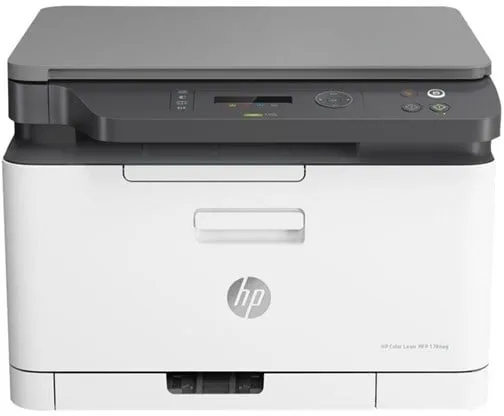
The HP Color Laser MFP 178nwg is a multifunction printer that combines printing, scanning and copying in one device. It is designed for users who want a compact and efficient solution for everyday office work, where fast and accurate printing of both colour and monochrome documents is required.
The printer uses laser technology and ensures a print speed of up to 18 pages per minute in monochrome and 4 pages per minute in colour. It supports a maximum resolution of 600 x 600 dpi, providing clear and precise results for both text and graphics.
The device has integrated Wi-Fi, LAN and USB 2.0 connections, allowing printing directly from a computer, mobile device or network. It supports AirPrint, Mopria and Google Cloud Print, making wireless printing from mobile devices easily accessible.
With a 150-sheet paper capacity and a 50-sheet output tray, the printer is suitable for small offices. The recommended monthly print volume is between 100 and 500 pages, with a maximum duty cycle of 20,000 pages per month.
The HP Color Laser MFP 178nwg is ENERGY STAR certified and meets Blue Angel standards, meaning it complies with environmental energy efficiency requirements. It comes with black, cyan, magenta and yellow toners and a drum, ready to use straight out of the box.
- Multifunction device: Combines printing, scanning and copying in one compact unit.
- Wireless connectivity: Supports Wi-Fi, LAN and USB 2.0 connections for flexible use.
- Mobile printing: Compatible with AirPrint, Mopria and Google Cloud Print.
- High print speed: Up to 18 ppm (mono) and 4 ppm (colour).
- Environmental certifications: ENERGY STAR and Blue Angel certified energy-efficient performance.
Pros and cons
- Compact design suitable for small offices
- Wireless and wired network connectivity
- Supports mobile printing across multiple platforms
- Good print quality for both text and graphics
- Low power consumption in standby mode
- Relatively slow colour print speed
- Limited paper capacity for larger print jobs
- Not intended for very high print volumes
Pros and cons
Pros
- Compact design suitable for small offices
- Wireless and wired network connectivity
- Supports mobile printing across multiple platforms
- Good print quality for both text and graphics
- Low power consumption in standby mode
Cons
- Relatively slow colour print speed
- Limited paper capacity for larger print jobs
- Not intended for very high print volumes
Pros
- Compact design suitable for small offices
- Wireless and wired network connectivity
- Supports mobile printing across multiple platforms
- Good print quality for both text and graphics
- Low power consumption in standby mode
Cons
- Relatively slow colour print speed
- Limited paper capacity for larger print jobs
- Not intended for very high print volumes
Specifications
- Manufacturer: HP
- Model: 6HU08A#B19
- EAN: 0193808830464
- Device type: Multifunction printer
- Printing technology: Laser (colour)
- Maximum print speed: Up to 18 ppm (mono) / 4 ppm (colour)
- Maximum print resolution: 600 x 600 dpi
- Maximum copy speed: 14 ppm (mono) / 4 ppm (colour)
- Optical scan resolution: 600 x 600 dpi
- Standard memory: 128 MB
- Paper capacity: 150 sheets (input), 50 sheets (output)
- Supported media sizes: A4, A5, A6, JIS B5, Oficio, 216 x 356 mm
- Supported media types: Plain paper, labels, recycled paper, thick paper, coloured paper, etc.
- Interface: USB 2.0, LAN, Wi-Fi(n)
- AirPrint support: Yes
- Power consumption (operation/standby/sleep): 300 W / 38 W / 1.9 W
- Dimensions (W x D x H): 40.6 × 36.3 × 28.87 cm
- Weight: 12.94 kg
- Environmental standards: ENERGY STAR, Blue Angel
- Monthly duty cycle (max): 20,000 pages
- Recommended monthly volume: 100–500 pages
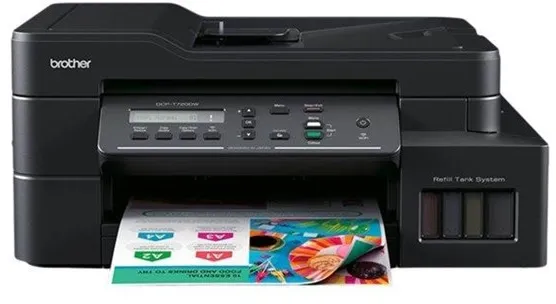
The Brother DCP-T720DW All in One is a colour inkjet printer that combines printing, scanning and copying in one device. It is designed for users who need a reliable printer with a low cost per page and flexible connectivity options.
The printer uses a four-colour ink system with separate tanks for cyan, magenta, yellow and black, allowing colours to be replaced or refilled individually. It supports automatic duplex printing and can handle media up to A4 and Letter size.
With wireless Wi-Fi connectivity and AirPrint support, the device easily integrates into a home network and can be used from both computers and mobile devices. The optical scanning resolution of 1200 x 2400 dpi ensures clear results when digitising documents and images.
The DCP-T720DW has a standard 150-sheet paper input, a 20-sheet automatic document feeder and a 50-sheet output tray. Its compact design and 8.7 kg weight make it suitable for desks and small office environments.
- Multifunction device: Combines printing, scanning and copying in one compact unit.
- Additional ink tanks: Reduce operating costs and waste compared to traditional cartridges.
- Automatic duplex printing: Prints on both sides of the paper, saving time and paper.
- Wireless connectivity: Supports Wi-Fi and AirPrint for easy printing from multiple devices.
- High print quality: Resolution up to 1200 x 6000 dpi for both monochrome and colour printing.
Pros and cons
- Low cost per page thanks to additional ink tanks
- Wireless printing via Wi-Fi and AirPrint
- Automatic duplex printing
- Good print speed for its class
- Compact design with multiple functions in one device
- Not intended for very high print volumes
- No fax function
- 50 dBA noise level may be noticeable in quiet environments
Pros and cons
Pros
- Low cost per page thanks to additional ink tanks
- Wireless printing via Wi-Fi and AirPrint
- Automatic duplex printing
- Good print speed for its class
- Compact design with multiple functions in one device
Cons
- Not intended for very high print volumes
- No fax function
- 50 dBA noise level may be noticeable in quiet environments
Pros
- Low cost per page thanks to additional ink tanks
- Wireless printing via Wi-Fi and AirPrint
- Automatic duplex printing
- Good print speed for its class
- Compact design with multiple functions in one device
Cons
- Not intended for very high print volumes
- No fax function
- 50 dBA noise level may be noticeable in quiet environments
Specifications
- Manufacturer: Brother
- Model: DCPT720DWYJ1
- EAN: 4977766807258
- Device type: Multifunction printer
- Printing technology: Inkjet printer (colour, 4 colours)
- Maximum print speed: Up to 17 ppm (black and white) / 16.5 ppm (colour)
- Maximum print resolution: Up to 1200 x 6000 dpi
- Scan resolution: 1200 x 2400 dpi (optical)
- Standard memory: 128 MB
- Paper input: 150 sheets
- Automatic document feeder: 20 sheets
- Output tray: 50 sheets
- Bypass tray: 1 sheet
- Automatic duplex printing: Yes
- Interface: USB 2.0, Wi-Fi(n)
- AirPrint support: Yes
- Supported media sizes: A4, Letter, A5, A6, Executive, 102x152 mm, 127x203 mm, 89x127 mm
- Supported envelope sizes: DL, C5, Com-10, Monarch
- Supported media weight: 64–300 g/m²
- Office functions: Scan to email, image and OCR
- Included ink tanks: BTD60BK (black, up to 7500 pages), BT5000C/M/Y (cyan, magenta, yellow, up to 5000 pages each)
- Dimensions (W x D x H): 43.5 × 38 × 19.5 cm
- Weight: 8.7 kg
- Noise level: 50 dBA (in operation)
- Supported operating systems: Windows 7–10, Windows Server 2008–2019, macOS 10.14–10.15
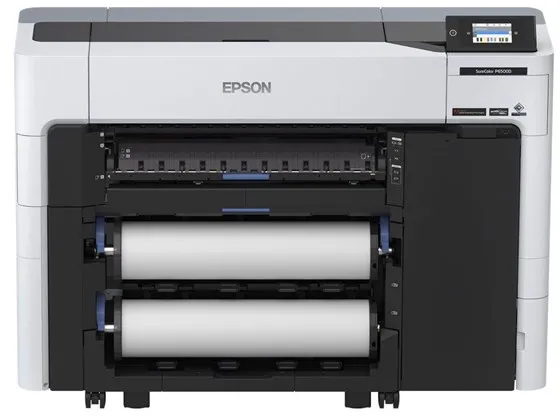
The Epson SureColor SC-P6500D is a 24-inch large format printer that uses six separate colours to ensure accurate and vibrant prints. It is designed for professional environments such as photo studios, retail stores and print labs where both quality and efficiency are important.
The printer uses Epson PrecisionCore MicroTFP technology and UltraChrome PRO6 ink, which ensures consistent colour reproduction and fine detail. It supports borderless printing and can handle various types and sizes of media, including roll media up to 60.9 cm wide.
The dual roll function allows the user to load two different media types or sizes and let the printer automatically switch between them. This increases flexibility and reduces the need for manual handling.
The SC-P6500D features a built-in touchscreen, wireless connectivity via Wi-Fi(ac) and supports AirPrint, making it easy to integrate into both Mac and Windows-based work environments. It delivers a maximum resolution of 1200 x 2400 dpi and a print speed of up to 18 m² per hour when printing photos.
The printer is equipped with advanced features such as nozzle detection technology and automatic media loading, which contribute to stable operation and reduced maintenance.
- 6-colour ink system: Ensures accurate colour reproduction using cyan, magenta, yellow, grey, photo black and matte black.
- Dual roll function: Allows automatic switching between two media types or sizes.
- High resolution: Prints up to 1200 x 2400 dpi for sharp and detailed results.
- Wireless connectivity: Supports USB 2.0, Gigabit LAN and Wi-Fi(ac) as well as AirPrint.
- Compact design: Suitable for professional environments with limited space.
Pros and cons
- Professional print quality with 6-colour UltraChrome PRO6 ink
- Dual roll function for flexible media handling
- Supports both wireless and wired network connectivity
- Touchscreen for convenient operation
- Compatible with MacOS and Windows
- Relatively heavy weight over 118 kg requires stable placement
- Print speed may be lower at maximum quality mode
- Primarily intended for professional users rather than typical offices
Pros and cons
Pros
- Professional print quality with 6-colour UltraChrome PRO6 ink
- Dual roll function for flexible media handling
- Supports both wireless and wired network connectivity
- Touchscreen for convenient operation
- Compatible with MacOS and Windows
Cons
- Relatively heavy weight over 118 kg requires stable placement
- Print speed may be lower at maximum quality mode
- Primarily intended for professional users rather than typical offices
Pros
- Professional print quality with 6-colour UltraChrome PRO6 ink
- Dual roll function for flexible media handling
- Supports both wireless and wired network connectivity
- Touchscreen for convenient operation
- Compatible with MacOS and Windows
Cons
- Relatively heavy weight over 118 kg requires stable placement
- Print speed may be lower at maximum quality mode
- Primarily intended for professional users rather than typical offices
Specifications
- Manufacturer: Epson
- Model: C11CJ49301A0
- EAN: 8715946699585
- Printer type: 24" large format printer - inkjet - colour
- Inkjet technology: Epson PrecisionCore MicroTFP
- Ink type: Epson UltraChrome PRO6
- Colours: 6 (cyan, magenta, yellow, grey, photo black, matte black)
- Maximum resolution: 1200 x 2400 dpi
- Print speed: Up to 2 pages/min (A1) or 18 m²/hour (photos)
- Connections: USB 2.0, Gigabit LAN, Wi-Fi(ac)
- AirPrint: Yes
- RAM: 4 GB
- Supported media sizes: A5 to A1, roll (43.1 cm / 60.9 cm)
- Maximum media thickness: 0.1–1.5 mm
- Power consumption: 70 W (operating mode), 0.3 W (standby mode)
- Dimensions (W x D x H): 136.5 × 49.9 × 97.5 cm
- Weight: 118.1 kg
- Network security: IPsec, AES-128/256, WPA3, LDAP, SSL, TLS
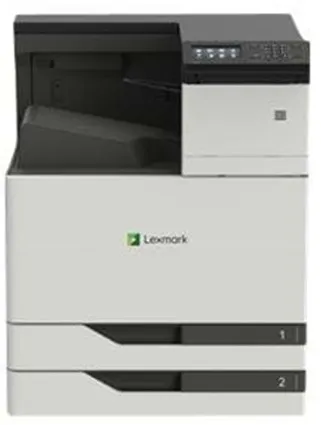
The Lexmark CS921DE is a colour laser printer designed for workgroups that need fast and reliable printing in both black and white and colour. It can handle large print volumes and supports formats up to SRA3, making it suitable for both standard documents and larger graphic jobs.
The printer delivers up to 1200 x 1200 dpi resolution and uses Lexmark 2400 IQ image enhancement technology to achieve sharp and precise results. The integrated duplex printing function allows automatic double-sided printing, reducing paper consumption.
With print speeds of up to 35 pages per minute in both black and white and colour, and the first page out in just 7 seconds, it is optimised for efficiency in busy office environments. The 4.3-inch colour touchscreen provides easy access to printer functions.
The CS921DE has a standard paper capacity of 1150 sheets, distributed across two 500-sheet trays and one 150-sheet multipurpose tray. The capacity can be increased to 6650 sheets with additional equipment. The printer supports a wide range of media types and sizes, including envelopes, labels and banner paper.
Connectivity options include USB 2.0, Gigabit LAN and a USB host port, and the printer is compatible with AirPrint, allowing direct printing from mobile devices. It is powered by a 1.2 GHz processor and comes with 1 GB of RAM, expandable to 3 GB.
The Lexmark CS921DE is certified according to ENERGY STAR and Blue Angel standards, reflecting its energy efficiency. It is designed for a maximum monthly duty cycle of up to 150,000 pages and a recommended range of 4,000–20,000 pages, making it suitable for continuous use in professional environments.
- High print speed: Up to 35 pages per minute in both black and white and colour.
- Large media capacity: Standard 1150 sheets, expandable to 6650 sheets.
- Professional resolution: 1200 x 1200 dpi with 2400 IQ image enhancement.
- Automatic duplex printing: Duplex printing as standard.
- Flexible connectivity: USB 2.0, Gigabit LAN and AirPrint support.
- User-friendly control: 4.3" colour touchscreen for easy navigation.
- Energy efficiency: Certified according to ENERGY STAR and Blue Angel.
Pros and cons
- Fast printing in both colour and black and white
- Supports large paper formats up to SRA3
- Robust construction for high print volumes
- Automatic duplex printing and large paper capacity
- AirPrint compatibility and network connectivity
- Large and heavy device requiring a lot of space
- Primarily intended for business use rather than home offices
- Higher energy consumption during operation compared to smaller printers
Pros and cons
Pros
- Fast printing in both colour and black and white
- Supports large paper formats up to SRA3
- Robust construction for high print volumes
- Automatic duplex printing and large paper capacity
- AirPrint compatibility and network connectivity
Cons
- Large and heavy device requiring a lot of space
- Primarily intended for business use rather than home offices
- Higher energy consumption during operation compared to smaller printers
Pros
- Fast printing in both colour and black and white
- Supports large paper formats up to SRA3
- Robust construction for high print volumes
- Automatic duplex printing and large paper capacity
- AirPrint compatibility and network connectivity
Cons
- Large and heavy device requiring a lot of space
- Primarily intended for business use rather than home offices
- Higher energy consumption during operation compared to smaller printers
Specifications
- Manufacturer: Lexmark
- Model: CS921DE (32C0012)
- EAN: 734646647656
- Printer type: Workgroup printer – colour laser
- Maximum resolution: 1200 x 1200 dpi
- Print speed: Up to 35 ppm (black and white and colour)
- First page out: 7 seconds
- Processor: 1.2 GHz
- RAM: 1 GB (expandable to 3 GB)
- Paper capacity: 1150 sheets (max. 6650 sheets)
- Max. media size: ARCH B (304.8 x 457.2 mm), SRA3 (320 x 450 mm)
- Media weight: 60–256 g/m²
- Automatic duplex printing: Yes
- Connections: USB 2.0, Gigabit LAN, USB 2.0 host port
- Display: 4.3" colour touchscreen
- AirPrint: Yes
- Monthly duty cycle (max.): 150,000 pages
- Recommended monthly volume: 4,000–20,000 pages
- Power consumption (operating): 575 W
- Power consumption (standby): 0.2 W
- Power consumption (sleep): 2.2 W
- Dimensions (W x D x H): 61.5 × 69.3 × 78 cm
- Weight: 88.5 kg
- Certificates: ENERGY STAR, Blue Angel
- Noise level during operation: 51 dBA
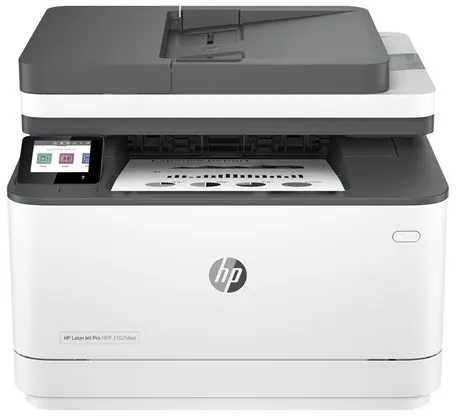
The HP LaserJet Pro MFP 3102fdwe is a monochrome laser printer designed for small and medium-sized offices where efficiency and reliability are essential. It can print, scan, copy and send faxes from the same device, saving space and simplifying workflows.
The printer prints up to 33 pages per minute and supports automatic duplex printing, allowing documents to be printed on both sides without manual intervention. The optical scanning resolution of 1200 x 1200 dpi ensures clear results when digitising documents.
The device has a 2.7-inch colour touchscreen that allows intuitive control. It supports both wired and wireless connectivity via LAN, Wi-Fi(n) and Bluetooth LE, and is compatible with AirPrint and Mopria for easy printing from mobile devices.
With a standard 250-sheet paper tray, 50-sheet automatic document feeder and 150-sheet output tray, this printer is ideal for everyday use with moderate print volumes. The recommended monthly volume is between 350 and 2500 pages.
As an HP+ model, it requires an HP account, an internet connection and the use of original HP toner cartridges. The printer is ENERGY STAR certified and equipped with technologies such as HP Auto-Off and JetIntelligence to ensure energy efficiency and precise performance.
- Fast printing: Up to 33 pages per minute in black and white.
- Multifunctional: Prints, copies, scans and sends faxes in one device.
- Wireless connectivity: Supports LAN, Wi-Fi(n) and Bluetooth LE.
- Automatic duplex printing: Save paper by printing on both sides.
- Convenient control: 2.7" colour touchscreen with intuitive navigation.
- HP+ enabled: Integrated with HP cloud printing solutions and security features.
Pros and cons
- High print speed and efficient performance
- Combines multiple functions in one compact device
- Wireless and wired network connectivity
- Automatic duplex printing
- ENERGY STAR certified for low energy consumption
- Requires an HP account and original HP cartridges as part of the HP+ programme
- Black and white printing only – not suitable for colour documents
Pros and cons
Pros
- High print speed and efficient performance
- Combines multiple functions in one compact device
- Wireless and wired network connectivity
- Automatic duplex printing
- ENERGY STAR certified for low energy consumption
Cons
- Requires an HP account and original HP cartridges as part of the HP+ programme
- Black and white printing only – not suitable for colour documents
Pros
- High print speed and efficient performance
- Combines multiple functions in one compact device
- Wireless and wired network connectivity
- Automatic duplex printing
- ENERGY STAR certified for low energy consumption
Cons
- Requires an HP account and original HP cartridges as part of the HP+ programme
- Black and white printing only – not suitable for colour documents
Specifications
- Manufacturer: HP
- Model: 3G630E#B19
- EAN: 0195122461935
- Printing technology: Laser (monochrome)
- Maximum print speed: Up to 33 pages/min.
- Maximum print resolution: 1200 x 1200 dpi
- Copy speed: Up to 33 pages/min.
- Copy resolution: Up to 300 dpi
- Scanning: CIS, 1200 x 1200 dpi optical resolution
- Fax speed: 33.6 Kbps
- Paper handling: 250-sheet input tray, 150-sheet output tray, 50-sheet ADF
- Automatic duplex printing: Yes
- Display: 2.7" colour touchscreen
- Memory: 512 MB
- Connectivity: LAN, Wi-Fi(n), Bluetooth LE
- AirPrint and Mopria: Supported
- Recommended monthly volume: 350–2500 pages
- Maximum duty cycle: 50,000 pages per month
- Power consumption (operation/standby/sleep): 436 W / 4.5 W / 1.31 W
- Dimensions (W x D x H): 41.8 × 39.82 × 31.32 cm
- Weight: 10.5 kg
- Environmental standard: ENERGY STAR certified
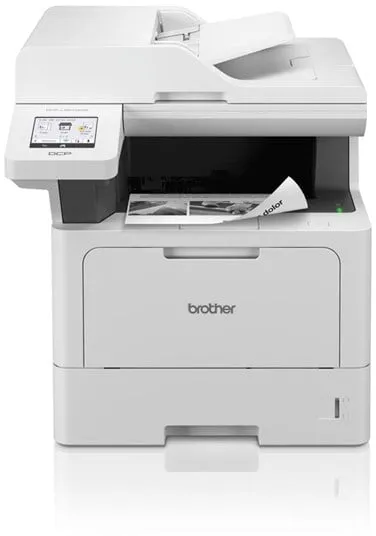
The Brother DCP-L5510DW is a monochrome multifunction printer that combines printing, scanning and copying in one compact device. It is designed for office environments where speed and efficiency are key, and prints up to 48 pages per minute in black and white.
The printer supports automatic duplex printing and has a 50-sheet automatic document feeder, making it easy to handle multi-page documents. The optical scan resolution of 1200 x 1200 dpi ensures clear results when digitising documents.
With wired and wireless connectivity – including USB, Gigabit LAN, Wi-Fi (n) and NFC – the device easily integrates into various network environments. It also supports AirPrint and multiple scan and print functions directly to email, FTP, SharePoint and USB.
Paper handling includes a 250-sheet standard tray, a 100-sheet bypass tray and a 150-sheet output tray, providing flexibility for different media types and formats. The recommended monthly volume is 5,000 pages, making it suitable for regular office use.
The printer is designed with security and energy efficiency in mind, including support for modern network protocols, low power consumption in standby mode and environmental certifications such as Blue Angel and Nordic Swan.
- High print speed: Up to 48 pages per minute in black and white.
- Automatic duplex printing: Double-sided printing as a standard feature.
- Flexible connectivity: Supports USB, LAN, Wi-Fi, NFC and AirPrint.
- Efficient document handling: 50-sheet ADF and 250-sheet paper tray.
- Secure and eco-friendly: Comprehensive security features and environmental certifications.
Pros and cons
- Fast printing and copying up to 48 pages per minute
- Automatic duplex printing
- Wide range of connectivity options, including wireless and NFC
- Large paper and document capacity
- Environmentally certified and energy efficient
- Monochrome printing only – not suitable for colour needs
- Relatively large and heavy device compared to smaller printers
Pros and cons
Pros
- Fast printing and copying up to 48 pages per minute
- Automatic duplex printing
- Wide range of connectivity options, including wireless and NFC
- Large paper and document capacity
- Environmentally certified and energy efficient
Cons
- Monochrome printing only – not suitable for colour needs
- Relatively large and heavy device compared to smaller printers
Pros
- Fast printing and copying up to 48 pages per minute
- Automatic duplex printing
- Wide range of connectivity options, including wireless and NFC
- Large paper and document capacity
- Environmentally certified and energy efficient
Cons
- Monochrome printing only – not suitable for colour needs
- Relatively large and heavy device compared to smaller printers
Specifications
- Manufacturer: Brother
- Model: DCPL5510DWRE1
- Item number: 3228241
- EAN: 4977766824552
- Device type: Multifunction printer
- Printing technology: Laser (monochrome)
- Recommended monthly volume: 5000 pages
- Maximum print speed: Up to 48 pages/min (A4)
- Maximum print resolution: Up to 1200 x 1200 dpi
- Maximum copy resolution: Up to 1200 x 600 dpi
- Scanning technology: CIS
- Optical scan resolution: 1200 x 1200 dpi
- Interpolated scan resolution: 19200 x 19200 dpi
- Document feeder: 50 sheets
- Paper capacity: 250 sheets (standard), 100 sheets (bypass), 150 sheets (output)
- Supported media sizes: A4, A5, A6, Legal, Letter, Folio, Executive, JIS B5
- Supported envelope sizes: DL, C5, Com-10, Monarch
- Connections: USB 2.0, USB host, Gigabit LAN, Wi-Fi (n), NFC
- AirPrint support: Yes
- Standard memory: 512 MB
- Power consumption (operation/standby/sleep): 680 W / 31 W / 5.9 W
- Dimensions (W x D x H): 41.7 × 46.1 × 44.8 cm
- Weight: 16.9 kg
- Environmental certifications: Blue Angel, Nordic Swan Ecolabel
- Noise level: 35 dBA (idle) / 54 dBA (operation)
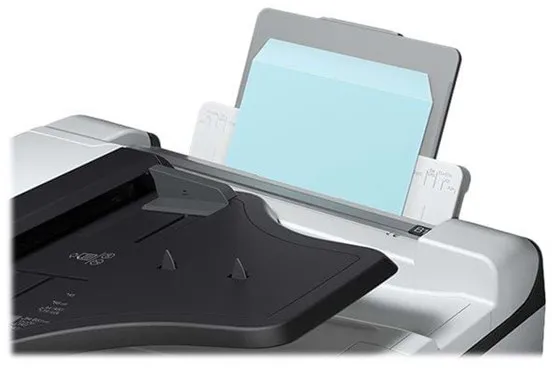
The Epson WorkForce Pro WF-C8690D3TWFC is a multifunction printer that combines printing, scanning, copying and faxing in one robust device. It uses Epson PrecisionCore inkjet technology with four colours, ensuring vivid and accurate results for both text and graphics.
The printer is designed for offices with a high document flow and can handle up to 75,000 pages per month. The recommended monthly volume is between 500 and 5,000 pages, making it suitable for medium and large workgroups.
A maximum print speed of up to 24 pages per minute in both black and white and colour, as well as automatic duplex printing, scanning and copying, ensures efficient document management. The large paper capacity of up to 1,835 sheets reduces the need for frequent refilling.
The WF-C8690D3TWFC offers flexible connectivity options, including Gigabit LAN, USB 3.0, NFC and Wi-Fi(ac), making it easy to integrate into existing networks. It also supports AirPrint and direct printing from a USB drive.
The device is ENERGY STAR certified and features low power consumption, contributing to more sustainable operation. With its wide A3 support, high performance and versatile features, it is a reliable choice for professional environments where reliability and efficiency are important.
- A3 support: Print, scan and copy up to A3 format.
- High print speed: Up to 24 pages per minute in both black and white and colour.
- Large paper capacity: Up to 1,835 sheets for longer operation without refilling.
- Flexible connectivity: Gigabit LAN, USB, NFC and Wi-Fi(ac) provide many options.
- Automatic duplex mode: Efficient double-sided printing, scanning and copying.
- Low power consumption: ENERGY STAR certified energy-saving operation.
Pros and cons
- High printing and copying speed
- Supports A3 format and automatic duplex mode
- Large paper capacity up to 1,835 sheets
- Many connectivity options, including Wi-Fi and NFC
- Low power consumption and ENERGY STAR certification
- Large and heavy device weighing more than 100 kg, requires a permanent space
- The product is discontinued and may be difficult to find in stock
Pros and cons
Pros
- High printing and copying speed
- Supports A3 format and automatic duplex mode
- Large paper capacity up to 1,835 sheets
- Many connectivity options, including Wi-Fi and NFC
- Low power consumption and ENERGY STAR certification
Cons
- Large and heavy device weighing more than 100 kg, requires a permanent space
- The product is discontinued and may be difficult to find in stock
Pros
- High printing and copying speed
- Supports A3 format and automatic duplex mode
- Large paper capacity up to 1,835 sheets
- Many connectivity options, including Wi-Fi and NFC
- Low power consumption and ENERGY STAR certification
Cons
- Large and heavy device weighing more than 100 kg, requires a permanent space
- The product is discontinued and may be difficult to find in stock
Specifications
- Manufacturer: Epson
- Model: WorkForce Pro WF-C8690D3TWFC
- Model number: C11CG68401BP
- EAN: 8715946654287
- Device type: Multifunction printer (printing, scanning, copying, fax)
- Printing technology: Inkjet printer – colour (Epson PrecisionCore, 4 colours)
- Maximum print resolution: 4800 x 1200 dpi
- Maximum print speed: Up to 24 ppm (black and white/colour)
- Maximum copy speed: Up to 22 ppm (black and white) / 21 ppm (colour)
- Optical scan resolution: 1200 x 2400 dpi
- Fax speed: 33.6 Kbps (Super G3)
- Paper capacity: Standard 1,835 sheets, max. 1,835 sheets
- Bypass tray: 85 sheets
- Output tray: 250 sheets
- Automatic document feeder: 50 sheets
- Supported media sizes: A3, A4, A5, A6, B5, Legal, Letter, A3 Plus
- Connections: Gigabit LAN, USB 3.0, USB 2.0 main, NFC, Wi-Fi(ac)
- AirPrint support: Yes
- Power consumption (operation/standby/sleep): 39 W / 18 W / 1.3 W
- Dimensions (W x D x H): 77.2 × 87.3 × 116.2 cm
- Weight: 104.8 kg
- Monthly duty cycle (max): 75,000 pages
- Recommended monthly volume: 500 – 5,000 pages
- ENERGY STAR certified: Yes
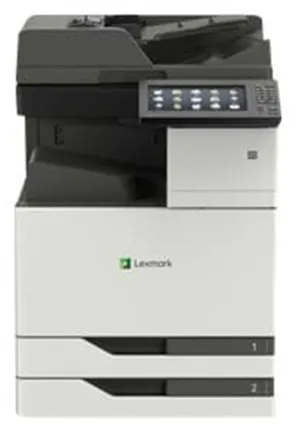
The Lexmark CX921DE is a colour laser multifunction printer designed for offices that require high printing performance. It can print, scan, copy and fax at speeds of up to 35 pages per minute in both black and white and colour.
The printer supports a maximum print resolution of 1200 x 1200 dpi, ensuring sharp and detailed results. The large 10-inch touchscreen provides easy access to functions such as scanning to email, FTP and USB.
With a standard media capacity of 1150 sheets and the ability to expand up to 6650 sheets, this model is suitable for large print jobs. It supports a wide range of media types and sizes, including A3, SRA3 and banner materials.
The CX921DE is equipped with USB 2.0, Gigabit LAN and USB host ports, providing flexible connectivity options. It also supports AirPrint and numerous printer emulations such as PCL 6, PostScript 3 and PDF 1.7.
With ENERGY STAR and Blue Angel certifications, this printer meets modern environmental standards. Its robust construction and monthly duty cycle of up to 200,000 pages make it suitable for intensive use in professional environments.
- High performance: Prints and copies up to 35 pages per minute in both colour and black and white.
- Large capacity: Standard 1150-sheet capacity, expandable up to 6650 sheets.
- Versatile media handling: Supports formats up to SRA3 and various paper types.
- User-friendly control: 10-inch colour touchscreen with intuitive functions.
- Flexible connectivity: USB 2.0, Gigabit LAN and AirPrint support.
- Environmental certifications: ENERGY STAR and Blue Angel approved.
Pros and cons
- High printing and scanning speed
- Large paper capacity and flexible media handling
- Touchscreen with easy operation
- Supports multiple operating systems and network protocols
- Eco-friendly operation with low standby power consumption
- Large and heavy device requiring a lot of space
- Primarily intended for business rather than home offices
- Higher power consumption during operation compared to smaller printers
Pros and cons
Pros
- High printing and scanning speed
- Large paper capacity and flexible media handling
- Touchscreen with easy operation
- Supports multiple operating systems and network protocols
- Eco-friendly operation with low standby power consumption
Cons
- Large and heavy device requiring a lot of space
- Primarily intended for business rather than home offices
- Higher power consumption during operation compared to smaller printers
Pros
- High printing and scanning speed
- Large paper capacity and flexible media handling
- Touchscreen with easy operation
- Supports multiple operating systems and network protocols
- Eco-friendly operation with low standby power consumption
Cons
- Large and heavy device requiring a lot of space
- Primarily intended for business rather than home offices
- Higher power consumption during operation compared to smaller printers
Specifications
- Manufacturer: Lexmark
- Model: CX921DE
- Model number: 32C0236
- EAN: 0734646647670
- Item number: 2620718
- Device type: Multifunction printer (printing, copying, scanning, fax)
- Printing technology: Colour laser
- Maximum print speed: Up to 35 ppm (mono/colour)
- Maximum resolution: 1200 x 1200 dpi
- Monthly duty cycle (max): 200,000 pages
- Recommended monthly volume: 4,000–20,000 pages
- Display: 10" colour touchscreen
- Standard memory: 2 GB (expandable up to 4 GB)
- Paper capacity: 1150 sheets (max. 6650 sheets)
- Bypass feeder: 150 sheets
- Output tray: 250 sheets
- Document feeder: 100 sheets
- Automatic duplex printing: Yes (printing, copying, scanning)
- Interface: USB 2.0, Gigabit LAN, USB host port
- AirPrint support: Yes
- Power consumption (operation/standby/sleep): 675 W / 0.2 W / 2.9 W
- Dimensions (W x D x H): 61.5 × 69.7 × 92.1 cm
- Weight: 108.5 kg
- Environmental certifications: ENERGY STAR, Blue Angel
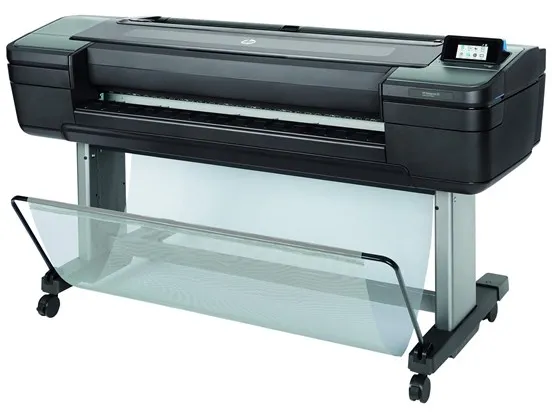
The HP DesignJet Z6 PostScript is a professional 24-inch large format printer using HP Thermal Inkjet technology to ensure vivid and rich prints. It is designed for environments where precision and colour accuracy are crucial, such as graphic design, architecture and technical documentation.
The printer supports six colours – cyan, magenta, yellow, matte black, photo black and chromatic red – ensuring a wide colour gamut and smooth tonal transitions. The maximum 2400 x 1200 dpi resolution guarantees detailed results, while the integrated cutter allows easy processing of prints directly from the device.
With a print speed of up to 1.4 minutes per page (A1 format), this model combines speed and quality. It features a 500 GB hard drive for handling large files and supports multiple languages and file formats, including PostScript 3, HP GL/2, PDF 1.7 and TIFF.
The DesignJet Z6 PostScript has Gigabit LAN and USB ports for flexible connectivity and can print directly from mobile devices or email. It supports a wide range of media – from photo paper and art paper to film and poster material, with a maximum width of 61 cm.
The printer is certified according to EPEAT Silver and ENERGY STAR standards, reflecting attention to energy efficiency and environmental protection. Its robust construction and user-friendly software make it suitable for both office and production environments.
- High resolution: Prints up to 2400 x 1200 dpi for sharp and detailed results.
- Advanced colour management: Six colours, including chromatic red, for accurate colour reproduction.
- Integrated cutter: Allows easy trimming of prints directly from the printer.
- Wide media compatibility: Supports various paper types and formats up to 61 cm wide.
- Efficient performance: Prints A1 format pages in about 1.4 minutes.
- Professional connectivity: Gigabit LAN and USB port for flexible network integration.
Pros and cons
- High print quality with 6-colour ink system
- Integrated cutter for convenient processing
- Supports PostScript 3 and multiple professional file formats
- 500 GB internal hard drive for large print jobs
- Energy-efficient and environmentally certified (EPEAT Silver, ENERGY STAR)
- Relatively large and heavy device (66 kg)
- Primarily intended for professional users who need large format prints
- Requires special ink and media for optimal results
Pros and cons
Pros
- High print quality with 6-colour ink system
- Integrated cutter for convenient processing
- Supports PostScript 3 and multiple professional file formats
- 500 GB internal hard drive for large print jobs
- Energy-efficient and environmentally certified (EPEAT Silver, ENERGY STAR)
Cons
- Relatively large and heavy device (66 kg)
- Primarily intended for professional users who need large format prints
- Requires special ink and media for optimal results
Pros
- High print quality with 6-colour ink system
- Integrated cutter for convenient processing
- Supports PostScript 3 and multiple professional file formats
- 500 GB internal hard drive for large print jobs
- Energy-efficient and environmentally certified (EPEAT Silver, ENERGY STAR)
Cons
- Relatively large and heavy device (66 kg)
- Primarily intended for professional users who need large format prints
- Requires special ink and media for optimal results
Specifications
- Manufacturer: HP
- Model: T8W15A#B19
- EAN: 0192018667501
- Printer type: 24" large format colour inkjet printer
- Printing technology: HP Thermal Inkjet
- Colours: 6 (cyan, magenta, yellow, matte black, photo black, chromatic red)
- Maximum resolution: 2400 x 1200 dpi
- Print speed: Up to 1.4 min/page (A1)
- Maximum media size: Roll (61 cm)
- Maximum custom media size: 610 x 1676 mm
- Media capacity: 1 roll
- Media weight: 80–500 g/m²
- Media thickness: Up to 0.8 mm
- Hard drive: 500 GB
- Interfaces: Gigabit LAN, USB port
- Language emulation: PostScript 3, HP RTL, CALS G4, HP GL/2, TIFF, PDF 1.7, JPEG
- Power consumption (operating): 100 W
- Power consumption (standby): 32 W
- Power consumption (sleep mode): 0.3 W
- Dimensions (W x D x H): 129.3 x 69.5 x 99.8 cm
- Weight: 66 kg
- Noise level (operating): 42 dBA
- Environmental certifications: EPEAT Silver, ENERGY STAR
- Operating temperature: 5–40 °C
- Humidity (in use): 20–80 %
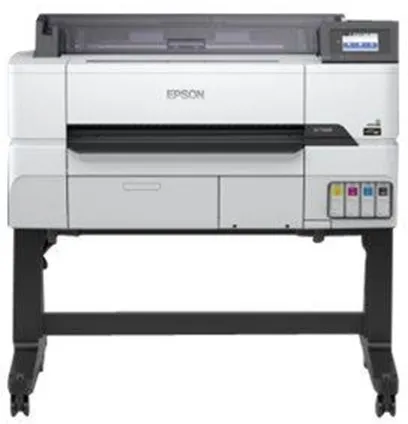
The Epson SureColor SC-T3405 is a technical large format printer designed to deliver precise and detailed prints. It is suitable for engineers, architects and designers working with CAD drawings, topographic maps or graphic posters.
The printer uses Epson PrecisionCore technology and UltraChrome XD2 ink, ensuring sharp lines and vivid colours. With a maximum resolution of 2400 x 1200 dpi, it can handle both technical documents and colourful presentation materials.
The SC-T3405 supports media sizes up to A1 (61 cm roll width) and has an integrated cutter, making it easy to produce precise prints in various formats. It comes with a stand and spindle unit for stable and convenient use.
The printer offers both wireless and wired connectivity, including Gigabit LAN, Wi-Fi(n), USB 3.0 and USB host. It is compatible with AirPrint, allowing direct printing from mobile devices without additional drivers.
With 1 GB of installed RAM and support for multiple language protocols such as HP RTL, EPSON ESC/P and HP GL/2, it is compatible with a wide range of systems and software. The integrated touchscreen allows intuitive and efficient operation.
- High resolution: Prints up to 2400 x 1200 dpi for sharp and detailed results.
- PrecisionCore technology: Ensures precise lines and consistent colour reproduction.
- Wireless and wired connectivity: Supports Wi-Fi, Gigabit LAN and USB 3.0.
- Integrated cutter: Makes it easy to produce precise prints in the desired format.
- AirPrint compatible: Allows direct printing from mobile devices.
- With stand: Supplied with a stand for stable and ergonomic use.
Pros and cons
- High print quality with 2400 x 1200 dpi resolution
- Supports both wireless and wired connectivity
- Integrated cutter and included stand
- Compatible with multiple operating systems and language protocols
- Suitable for both technical drawings and graphic posters
- Relatively large and heavy (64 kg), requires a permanent space
- First page print takes about 25 seconds
- Primarily intended for professional users rather than typical offices
Pros and cons
Pros
- High print quality with 2400 x 1200 dpi resolution
- Supports both wireless and wired connectivity
- Integrated cutter and included stand
- Compatible with multiple operating systems and language protocols
- Suitable for both technical drawings and graphic posters
Cons
- Relatively large and heavy (64 kg), requires a permanent space
- First page print takes about 25 seconds
- Primarily intended for professional users rather than typical offices
Pros
- High print quality with 2400 x 1200 dpi resolution
- Supports both wireless and wired connectivity
- Integrated cutter and included stand
- Compatible with multiple operating systems and language protocols
- Suitable for both technical drawings and graphic posters
Cons
- Relatively large and heavy (64 kg), requires a permanent space
- First page print takes about 25 seconds
- Primarily intended for professional users rather than typical offices
Specifications
- Manufacturer: Epson
- Model: C11CJ55301A0 (SureColor SC-T3405)
- EAN: 8715946687001
- Printer type: 24" large format inkjet printer, colour
- Inkjet technology: Epson PrecisionCore
- Ink type: Epson UltraChrome XD2 ink
- Colours: 4 colours (cyan, magenta, yellow, black)
- Resolution: 2400 x 1200 dpi
- Max. media size: Roll A1 (61.0 cm)
- Media thickness: 0.05 – 0.3 mm
- Connections: Gigabit LAN, Wi-Fi(n), USB host, USB 3.0
- AirPrint: Yes
- RAM: 1 GB
- Language emulation: HP RTL, EPSON ESC/P, HP GL/2
- Integrated cutter: Yes
- Integrated devices: Touchscreen
- Power consumption (operating): 38 W
- Power consumption (standby): 13 W
- Power consumption (sleep mode): 0.25 W
- Noise level (operating): 50 dBA
- Dimensions (W x D x H): 108 × 75 × 106 cm
- Weight: 64 kg
- Included equipment: Stand, spindle unit, 4 ink cartridges (CMYK)
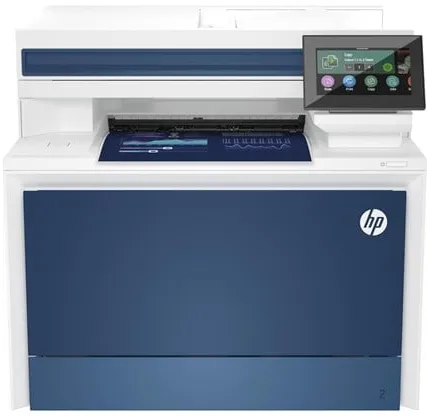
The HP Color LaserJet Pro MFP 4302fdn is a multifunction printer that combines printing, copying, scanning and faxing in one compact device. It uses colour laser technology and delivers prints up to 600 x 600 dpi resolution, ensuring clear and vivid documents.
The printer prints up to 35 pages per minute in black and white and 33 pages per minute in colour, making it suitable for offices with medium to high print volumes. It supports automatic duplex printing and has a standard 300-sheet paper capacity, which can be increased to 850 sheets.
The device has a 4.3-inch colour touchscreen that provides easy access to functions such as scanning to email, network folders and USB. It supports both USB 2.0 and Gigabit LAN, and is compatible with AirPrint and Mopria for wireless printing from mobile devices.
With a recommended monthly print volume of 750 to 4000 pages and a maximum duty cycle of up to 50,000 pages, this printer is designed for continuous use. It comes with four colour toner cartridges and supports HP dynamic security features that protect against unauthorised cartridges.
- Fast printing: Up to 35 pages per minute in black and white and 33 pages per minute in colour.
- Multifunctional: Combines printing, copying, scanning and faxing in one device.
- Automatic duplex printing: Prints on both sides of the paper, saving time and paper.
- Network connectivity: Supports both USB 2.0 and Gigabit LAN as well as AirPrint.
- User-friendly control: 4.3" colour touchscreen with intuitive menus.
Pros and cons
- High print speed and efficient document management
- Integrated fax and automatic duplex printing
- Large paper capacity with the option to expand
- Network and mobile printing via AirPrint and Mopria
- Robust construction for office use
- Relatively heavy and takes up a lot of desk space
- No built-in Wi-Fi as standard
- Mainly intended for office rather than home use
Pros and cons
Pros
- High print speed and efficient document management
- Integrated fax and automatic duplex printing
- Large paper capacity with the option to expand
- Network and mobile printing via AirPrint and Mopria
- Robust construction for office use
Cons
- Relatively heavy and takes up a lot of desk space
- No built-in Wi-Fi as standard
- Mainly intended for office rather than home use
Pros
- High print speed and efficient document management
- Integrated fax and automatic duplex printing
- Large paper capacity with the option to expand
- Network and mobile printing via AirPrint and Mopria
- Robust construction for office use
Cons
- Relatively heavy and takes up a lot of desk space
- No built-in Wi-Fi as standard
- Mainly intended for office rather than home use
Specifications
- Manufacturer: HP
- Model: 4RA84F#B19
- EAN: 0196068323226
- Device type: Multifunction printer (print, copy, scan, fax)
- Printing technology: Colour laser
- Maximum print speed: Up to 35 ppm (mono) / 33 ppm (colour)
- Print resolution: Up to 600 x 600 dpi
- Copy speed: Up to 35 ppm (mono/colour)
- Scanning: CIS, 600 x 600 dpi, 30-bit colour depth
- Fax speed: 33.6 Kbps
- Paper capacity: 300 sheets (standard), 850 sheets (max.)
- Document feeder: 50-sheet ADF
- Automatic duplex printing: Yes
- Display: 4.3" colour touchscreen
- Interface: USB 2.0, Gigabit LAN
- AirPrint support: Yes
- Memory: 512 MB
- Monthly duty cycle (max.): 50,000 pages
- Recommended monthly volume: 750–4000 pages
- Dimensions (W x D x H): 42.1 × 43.5 × 38.4 cm
- Weight: 20.4 kg
- Power consumption (operating/standby/sleep): 585 W / 18 W / 0.8 W
- Supported operating systems: Windows, macOS, Linux, Android, iOS, Chrome OS
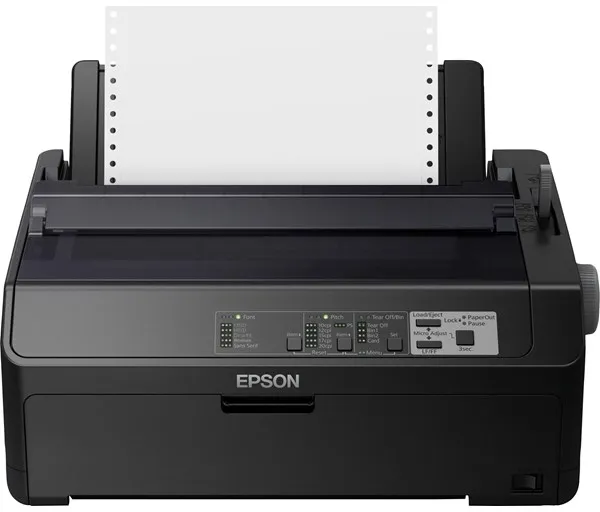
The Epson FX 890II is an 80-column dot matrix printer designed for fast and stable black and white printing. It uses a 9-pin printing mechanism, making it suitable for tasks requiring carbon copy paper or continuous forms.
The printer can handle multiple media types, including roll paper, envelopes and continuous sheets, and supports media sizes up to JIS B4. The maximum print speed is up to 738 characters per second, making it efficient for large print volumes.
With a resolution of 240 x 144 dpi, it delivers clear text and characters, supporting both EPSON ESC/P and IBM PPDS language emulations. The printer can be connected via a parallel interface or USB 2.0, providing flexibility in installation.
The FX 890II is built for long life – the print head can withstand up to 400 million characters, and the ribbon up to 7.5 million characters. The internal power supply and low power consumption in standby mode contribute to efficient operation.
Weighing 7.2 kg and with compact dimensions of 41.4 × 32 × 17.65 cm, the printer fits into many work environments where reliable and continuous printing is required.
- High print speed: Up to 738 characters per second in high-speed draft mode.
- Flexible paper handling: Supports roll paper, envelopes and continuous sheets.
- Durability: Print head up to 400 million characters and ribbon up to 7.5 million characters.
- Connectivity options: Parallel and USB 2.0 connections for easy integration into existing systems.
- Low power consumption: Only 0.8 W in standby mode and 54 W during operation.
Pros and cons
- Very reliable and robust construction
- High print speed for large text volumes
- Supports carbon copy paper and continuous forms
- Long print head and ribbon lifespan
- Compatible with many Windows versions
- Limited to black and white printing only
- 55 dBA noise level may be high in a quiet office environment
- Mainly suitable for specific business purposes rather than general office printing
Pros and cons
Pros
- Very reliable and robust construction
- High print speed for large text volumes
- Supports carbon copy paper and continuous forms
- Long print head and ribbon lifespan
- Compatible with many Windows versions
Cons
- Limited to black and white printing only
- 55 dBA noise level may be high in a quiet office environment
- Mainly suitable for specific business purposes rather than general office printing
Pros
- Very reliable and robust construction
- High print speed for large text volumes
- Supports carbon copy paper and continuous forms
- Long print head and ribbon lifespan
- Compatible with many Windows versions
Cons
- Limited to black and white printing only
- 55 dBA noise level may be high in a quiet office environment
- Mainly suitable for specific business purposes rather than general office printing
Specifications
- Manufacturer: Epson
- Model: C11CF37401
- EAN: 8715946634487
- Printer type: Workgroup printer - dot matrix - 9 pins - black and white
- Maximum resolution: 240 x 144 dpi
- Print speed: Up to 738 characters/sec (high-speed draft)
- Interfaces: Parallel, USB 2.0
- RAM: 128 KB
- Language emulation: EPSON ESC/P, IBM PPDS
- Supported barcodes: Matrix 2 of 5, Code 39, EAN/JAN-8, EAN/JAN-13, UPC-A, UPC-E, Coadabar, Code 128, Postnet, etc.
- Media types: Envelopes, plain paper, continuous sheets
- Max. media size: Roll (21.6 cm), JIS B4 (257 x 364 mm), continuous paper 101.6–254 mm wide
- Permitted media thickness: 0.06–0.46 mm
- Max. multi-part forms: 6
- Connections: 1 x USB 2.0, 1 x parallel
- Power consumption: 54 W (operation), 0.8 W (standby mode)
- MTBF: 25,000 hours
- Dimensions (W x D x H): 41.4 × 32 × 17.65 cm
- Weight: 7.2 kg
- Operating temperature: 5–35 °C
- Humidity during use: 10–80 %
- Noise level: 55 dBA
- ENERGY STAR certified: Yes
The HP DesignJet Z9+ PostScript is a 44-inch large format printer designed for professional environments where precision and colour reproduction are crucial. It uses HP Thermal Inkjet technology and a 9-colour ink system that includes both standard colours and chromatic tone shades to achieve a wide colour gamut and smooth transitions.
The printer ensures a maximum resolution of 2400 x 1200 dpi and can print up to 1.2 minutes per page in standard colour mode. It supports various media types, including photo paper, art paper, film and poster material, and can handle rolls up to 111.8 cm wide.
With an integrated cutter and 500 GB hard drive, the printer is optimised for efficient workflow and handling of large files. It supports PostScript 3, HP GL/2, PDF 1.7 and several other languages, making it compatible with many professional software solutions.
The DesignJet Z9+ PostScript features Gigabit LAN and USB host connections, providing flexible connectivity options. In addition, it is certified according to EPEAT Silver and ENERGY STAR standards, reflecting attention to energy efficiency and environmental protection.
- 9-colour ink system: Ensures accurate colour reproduction and smooth transitions in images and graphics.
- High resolution: Prints up to 2400 x 1200 dpi for sharp and detailed results.
- Integrated cutter: Allows automatic trimming of prints for a professional finish.
- 500 GB hard drive: Supports handling of large print files and complex tasks.
- PostScript 3 support: Compatible with professional workflows and graphic applications.
- Energy efficiency: Certified according to EPEAT Silver and ENERGY STAR.
Pros and cons
- Professional colour accuracy quality with 9-colour ink system
- High print resolution and fast performance
- Integrated cutter and large media capacity
- Supports PostScript 3 and multiple file formats
- Robust construction with 500 GB internal hard drive
- Large and heavy device requiring a lot of space
- Primarily intended for professional users who need large format printing
- Long delivery time when ordering
Pros and cons
Pros
- Professional colour accuracy quality with 9-colour ink system
- High print resolution and fast performance
- Integrated cutter and large media capacity
- Supports PostScript 3 and multiple file formats
- Robust construction with 500 GB internal hard drive
Cons
- Large and heavy device requiring a lot of space
- Primarily intended for professional users who need large format printing
- Long delivery time when ordering
Pros
- Professional colour accuracy quality with 9-colour ink system
- High print resolution and fast performance
- Integrated cutter and large media capacity
- Supports PostScript 3 and multiple file formats
- Robust construction with 500 GB internal hard drive
Cons
- Large and heavy device requiring a lot of space
- Primarily intended for professional users who need large format printing
- Long delivery time when ordering
Specifications
- Manufacturer: HP
- Model: W3Z72A#B19
- EAN: 0192018667709
- Printer type: 44" large format colour printer (thermal inkjet)
- Printing technology: HP Thermal Inkjet
- Colour system: 9 ink cartridges (cyan, magenta, yellow, matte black, photo black, chromatic red, chromatic green, chromatic blue, grey)
- Maximum resolution: 2400 x 1200 dpi
- Print speed: Up to 1.2 min/page (A1 or ANSI D)
- Maximum media size: Roll (111.8 cm)
- Custom media size: Up to 1118 x 1676 mm
- Media types: Photo paper, art paper, film, backlit paper, poster paper, matte paper
- Media weight: 80–500 g/m²
- Media thickness: Up to 0.8 mm
- Connections: 1 x Gigabit LAN (RJ-45), 1 x USB host
- Hard drive: 500 GB
- Language emulation: PostScript 3, HP RTL, CALS G4, HP GL/2, TIFF, PDF 1.7, JPEG
- Power consumption (operating): 100 W
- Power consumption (standby): 32 W
- Power consumption (sleep mode): 0.3 W
- Dimensions (W x D x H): 180.2 x 69.5 x 99.8 cm
- Weight: 94 kg
- Certificates: EPEAT Silver, ENERGY STAR, RoHS, WEEE
- Noise level: 42 dBA (operating), 33 dBA (idle)
- Operating temperature: 5–40 °C
- Humidity (in use): 20–80 %
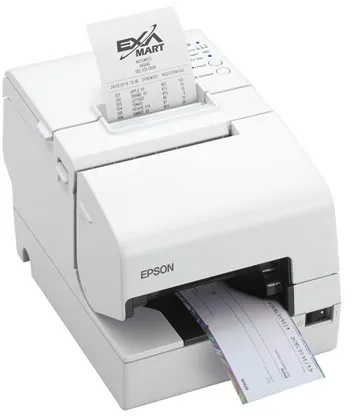
The Epson TM H6000V-203P1 is an integrated POS printer capable of handling receipts, slips and cheques. It combines thermal line printing and dot matrix technology in one device, making it suitable for environments that require multiple printing functions at the point of sale.
The printer ensures a printing speed of up to 300 mm per second and a resolution of 180 x 180 dpi, guaranteeing fast and clear printing. It supports multiple media types, including plain paper and thermal copy paper, and has an automatic cutter for efficient receipt handling.
With connections such as USB, LAN, serial, NFC and USB 2.0 host, the printer can be easily integrated into various POS systems. It is equipped with sensors that detect an empty paper tray, open cover and low paper level, contributing to stable operation.
The device comes in white and has a compact design with dimensions of 18.6 × 27.8 × 18.1 cm and weighs 4.4 kg. It is designed for European markets and comes with software such as Epson Server Direct Print, ePOS-Print and ePOS-Display.
- Combined technology: Thermal line and dot matrix printing in one device.
- High printing speed: Up to 300 mm/sec for fast receipt printing.
- Flexible connections: Supports USB, LAN, serial, NFC and USB 2.0 host connection.
- Automatic cutter: Efficient handling of receipts and slips.
- Integrated sensors: Monitor paper status and cover to prevent operational interruptions.
Pros and cons
- Combines multiple printing technologies in one device
- High printing speed up to 300 mm/sec
- Many connections for various POS systems
- Integrated sensors for reliable operation
- Automatic cutter for efficient use
- Relatively heavy device – 4.4 kg
- The product is no longer manufactured and may be difficult to find new
Pros and cons
Pros
- Combines multiple printing technologies in one device
- High printing speed up to 300 mm/sec
- Many connections for various POS systems
- Integrated sensors for reliable operation
- Automatic cutter for efficient use
Cons
- Relatively heavy device – 4.4 kg
- The product is no longer manufactured and may be difficult to find new
Pros
- Combines multiple printing technologies in one device
- High printing speed up to 300 mm/sec
- Many connections for various POS systems
- Integrated sensors for reliable operation
- Automatic cutter for efficient use
Cons
- Relatively heavy device – 4.4 kg
- The product is no longer manufactured and may be difficult to find new
Specifications
- Manufacturer: Epson
- Model: C31CG62203P1
- EAN: 8715946686486
- Item number: 2870874
- Printer type: Receipt printer - thermal line / dot matrix - 9-pin - monochrome
- Maximum resolution: 180 x 180 dpi
- Printing speed: Up to 300 mm/sec / 5.7 lines/sec
- Max. media size: 230 x 297 mm, roll (7.95 cm)
- Maximum roll outer diameter: 83 mm
- Media type: Plain paper, thermal copy paper
- Automatic cutter: Yes
- Reprint: Up to 3 copies
- Connections: USB, LAN, serial, NFC, USB 2.0 host
- Network: Print server
- Dimensions (W x D x H): 18.6 × 27.8 × 18.1 cm
- Weight: 4.4 kg
- Colour: White
- MTBF: 360,000 hours
- Power supply: Power adapter
- Software: Epson Server Direct Print, ePOS-Print, ePOS-Display
- Operating temperature: 5–45 °C
- Operating humidity: 10–90 %
- Noise level: 55 dBA
- ENERGY STAR certified: Yes
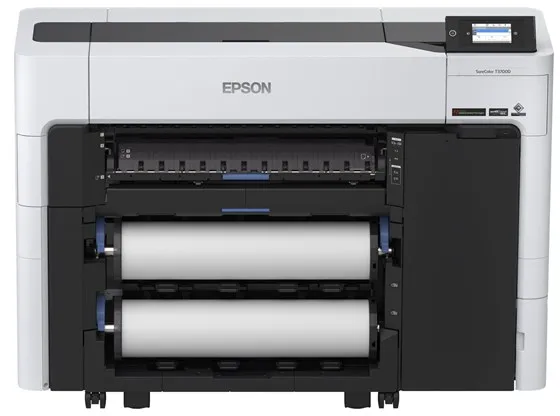
The Epson SureColor SC-T3700DE is a 24-inch large format printer designed for professional users who require precision and efficiency. It uses six separate ink colours – cyan, magenta, yellow, red, photo black and matte black – to ensure vivid and rich results.
The printer uses Epson’s UltraChrome XD3 ink and variable droplet size technology, which ensures smooth colour reproduction and fine detail, whether printing technical drawings, posters or graphic materials.
A maximum resolution of 2400 x 1200 dpi and a speed of up to 130 square metres per hour allow the SC-T3700DE to combine high productivity with professional quality. The integrated automatic cutter and support for roll media up to 61 cm wide make it suitable for continuous production.
The printer features a 4.3-inch colour touchscreen, wireless connectivity and supports both USB and Gigabit LAN. It is equipped with security features such as a Trusted Platform Module (TPM) and supports multiple language protocols, including HP GL/2 and PDF 1.7.
With a compact design and a weight of 118 kg, the SC-T3700DE is designed to fit professional environments where space, reliability and quality are essential.
- High print quality: Resolution up to 2400 x 1200 dpi with six-colour UltraChrome XD3 ink.
- Fast production: Prints up to 130 m² per hour in both colour and black and white.
- Flexible media handling: Supports roll media up to 61 cm and automatic cutting.
- User-friendly operation: 4.3" colour touchscreen and wireless connectivity.
- Secure and efficient: Integrated TPM and support for modern network protocols.
Pros and cons
- Professional print quality with six colours
- High speed and efficient media handling
- Wireless and wired network connectivity
- Integrated automatic cutter and convenient touchscreen
- Security features for data protection
- Large and heavy construction requires a permanent installation space
- Primarily intended for professional users with higher printing needs
Pros and cons
Pros
- Professional print quality with six colours
- High speed and efficient media handling
- Wireless and wired network connectivity
- Integrated automatic cutter and convenient touchscreen
- Security features for data protection
Cons
- Large and heavy construction requires a permanent installation space
- Primarily intended for professional users with higher printing needs
Pros
- Professional print quality with six colours
- High speed and efficient media handling
- Wireless and wired network connectivity
- Integrated automatic cutter and convenient touchscreen
- Security features for data protection
Cons
- Large and heavy construction requires a permanent installation space
- Primarily intended for professional users with higher printing needs
Specifications
- Manufacturer: Epson
- Model: C11CH80302A0
- EAN: 8715946702872
- Printer type: 24" large format inkjet printer, colour
- Maximum resolution: 2400 x 1200 dpi
- Colours: 6 (cyan, magenta, yellow, red, photo black, matte black)
- Ink type: Epson UltraChrome XD3 ink
- Print speed: up to 130 m²/hour
- Cutter: Yes (automatic cutter)
- Connections: USB, Gigabit LAN, Wi-Fi
- Integrated display: 4.3" colour LCD touchscreen
- RAM: 4 GB
- Supported languages: HP RTL, EPSON ESC/P, HP GL/2, PDF 1.7
- Max. media size: roll (61 cm)
- Dimensions (W x D x H): 136.5 × 49.9 × 97.5 cm
- Weight: 118 kg
- Power consumption (operating): 75 W
- Power consumption (standby): 0.3 W
- Noise level (operating): 50 dBA
- Security features: Trusted Platform Module (TPM), card authentication
Læs også: